
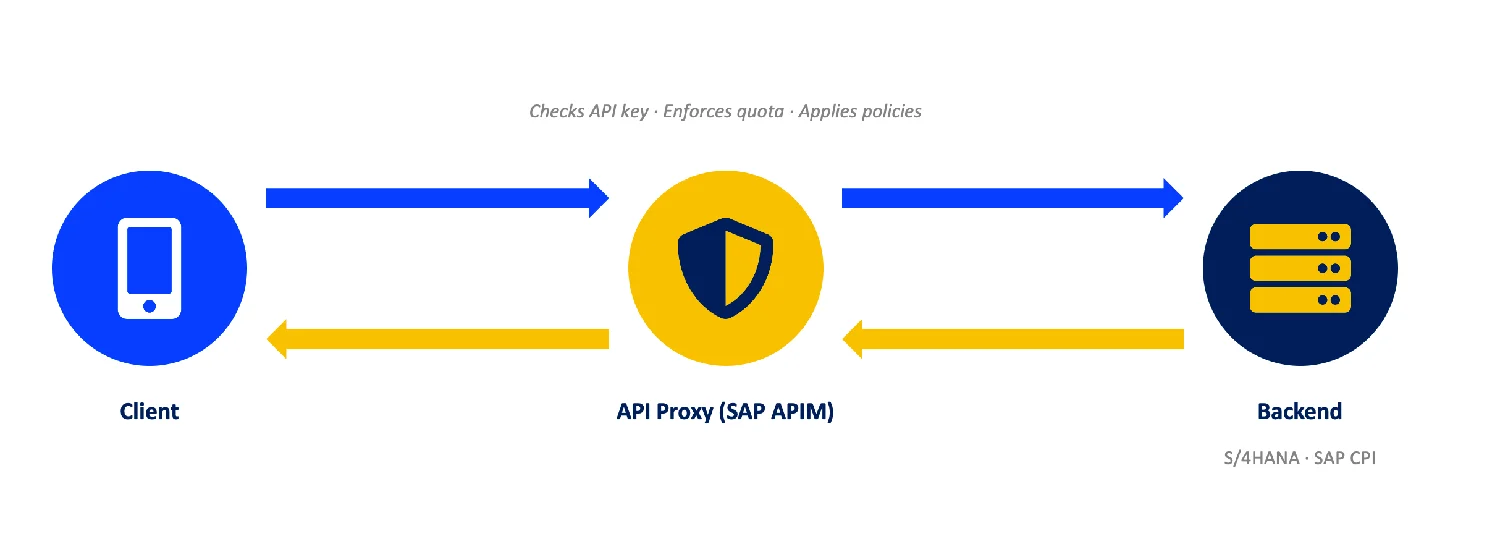
In this article, we will look at how a request actually moves through an API proxy in SAP APIM. We will look at the difference between the ProxyEndpoint and the TargetEndpoint. And in each stage, from the start of the request through the API Proxy to the API Proxy response, delivering the response back to the client.
Moreover, we will understand what the main stages of the API proxy flow are, and the subsections of each stage, like the PreFlow, Conditional Flow, and PostFlow.
Understanding the stages of request-reply steps through SAP API Flow in APIM will help you understand where to place each policy. Not simply: is it in the request or response, but is it on Proxy Request, Target Request, or on the response? Or, going even deeper, is it on the PreFlow of the Proxy Request or on the PostFlow of the Proxy Response, for example.
What is an API Proxy?
An API proxy is a facade, a stand-in that you build and deploy in SAP API Management. The client app never talks to your actual API backend. It talks to the proxy, and the proxy forwards that call to the real backend on the client’s behalf.
Every API Proxy Has Two Sides – ProxyEndpoint and TargetEndpoint
Let’s say you build an API proxy like the one we built in the previous article; we wrap an API and add a proxy layer on top.
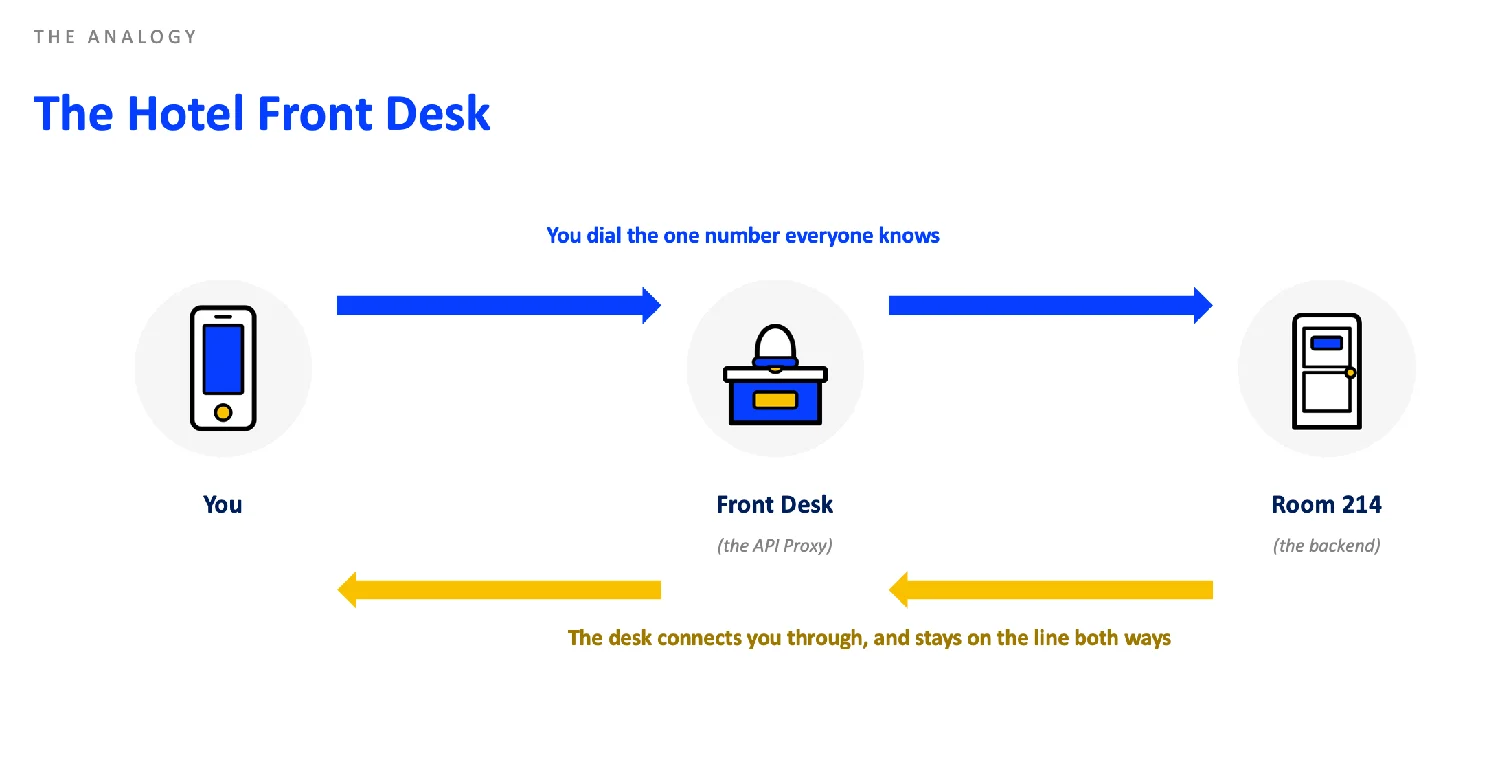
The ProxyEndpoint is what the client sees and the client-facing side, but inside the proxy flow, it calls the Target API.
So we have one part, which we will call the ProxyEndpoint, while the other is the TargetEndpoint, which is the actual endpoint that calls the backend, like the API service provider, such as SAP S/4HANA, Cloud Integration iFlows, etc.
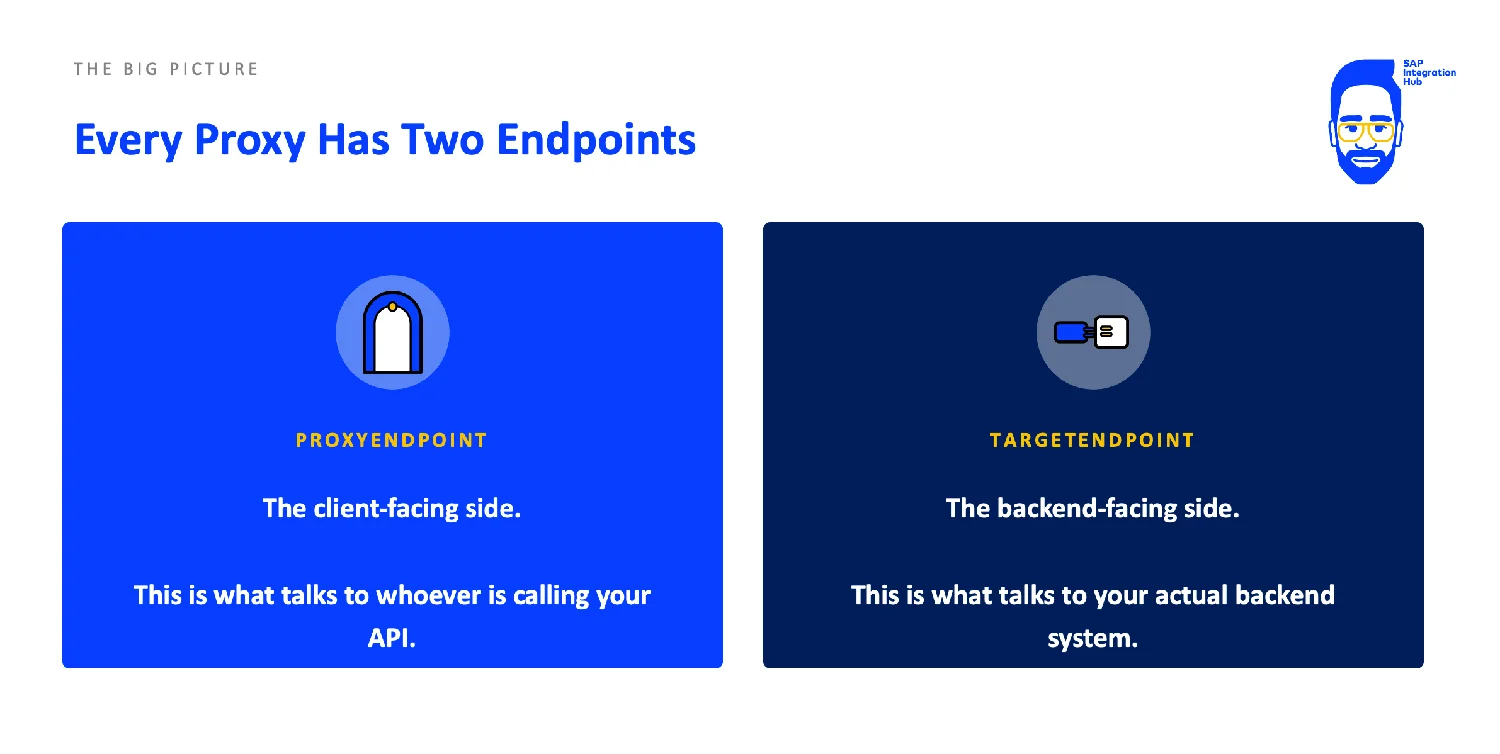
Two endpoints of an SAP API Proxy:
- The ProxyEndpoint is the client-facing side. It’s what your consumer or the client talks to.
- The TargetEndpoint is the backend-facing side. It’s what talks to your actual backend system.
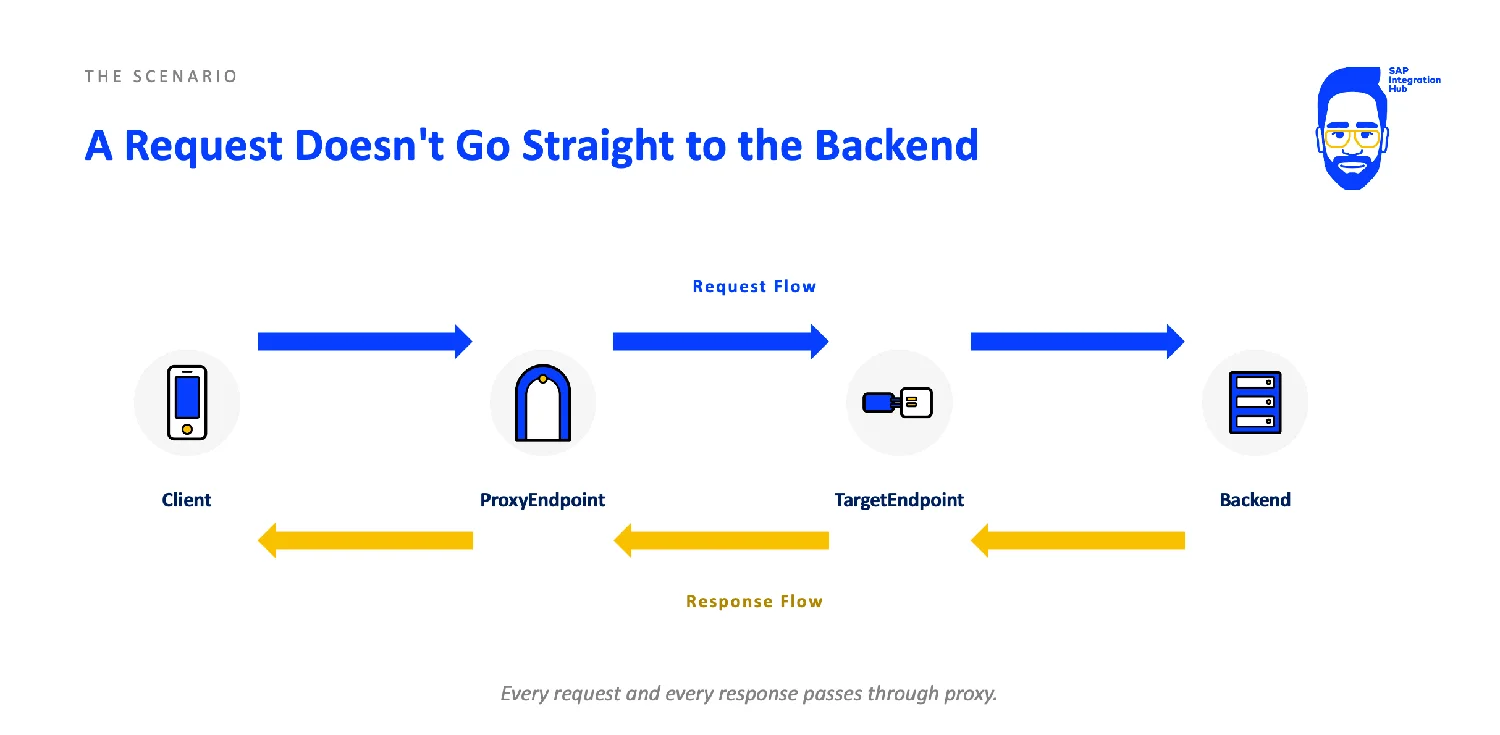
Stages of an API Proxy Processing Flow
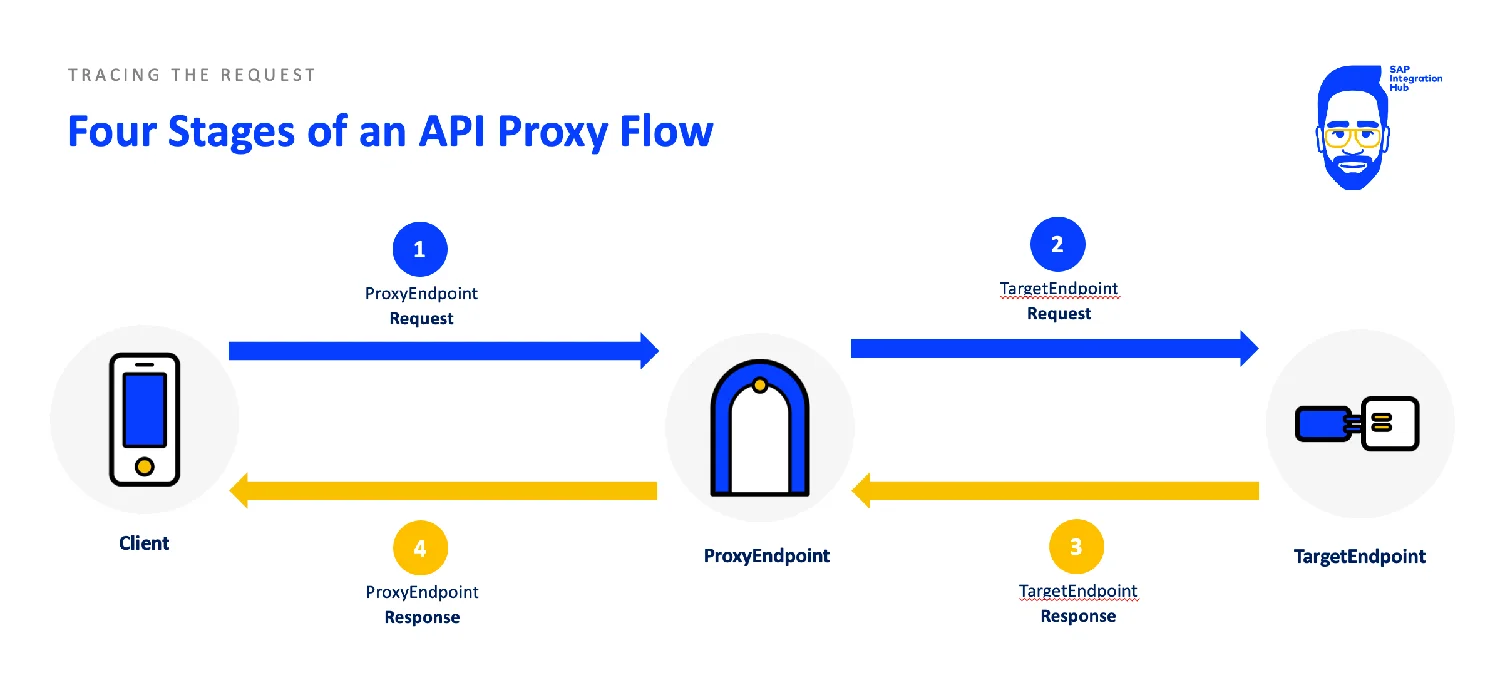
The request comes from the ProxyEndpoint request stage, hands the request over to the TargetEndpoint request. The backend processes the request and hands the response back to the TargetEndpoint response flow, and then it is handed over to the ProxyEndpoint response stage, which ultimately hands over the response to the client.
The PreFlow, Conditional Flow, PostFlow Processing Sequence
Within these four stages of Proxy/Target, the flow is broken down even further into 3 stages each. You can attach one or many policies to each of these sections of the flow.
- PreFlow – This runs first and always.
- Conditional Flow – This section only runs for conditions that match the configuration. For example, you can attach policies here to run only for certain HTTP methods like POST, PATCH, etc.
- PostFlow – Just like the PreFlow, this always runs and it runs at the end of the flow.
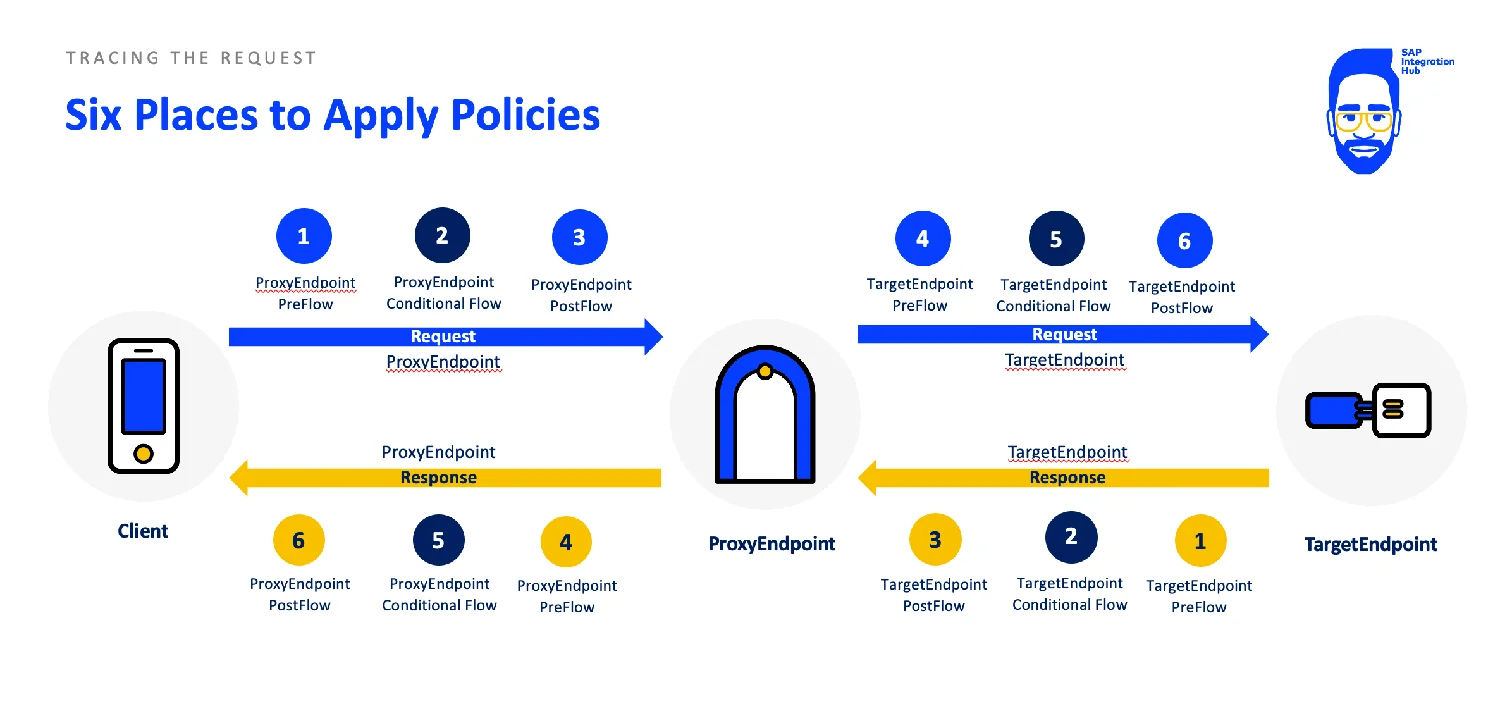
When the request comes into the ProxyEndpoint request section, PreFlow runs, then if there are any Conditional Flows, they get executed, and at the end, PostFlow gets executed. Conditional flow is an optional stage and PreFlow and PostFlow stages always run.
How does the API Flow Look in SAP APIM Policy Editor?
Here you can see in the SAP APIM configuration screen how you can view the different stages of the API proxy flow.
When adding policies, you will select exactly where the policy should sit in these stages.
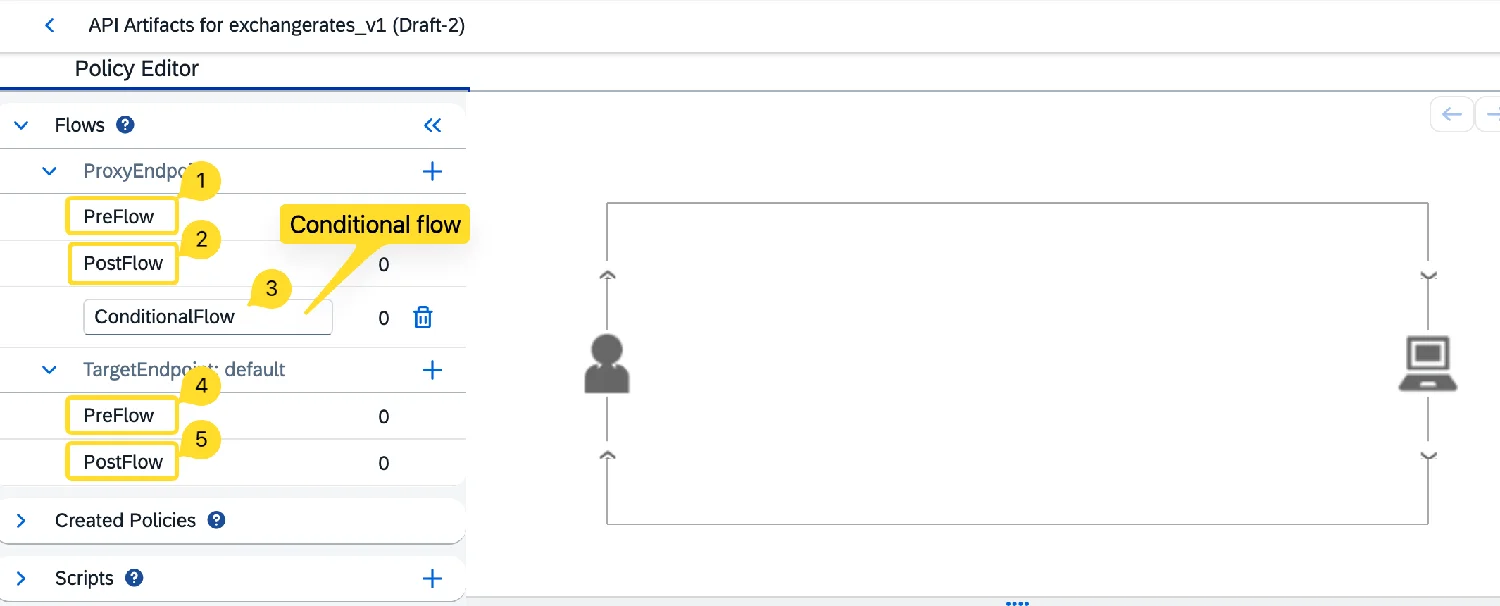
First, you will decide: is this policy applied to the ProxyEndpoint or TargetEndpoint, and then to the Proxy/Target Request or the Response.
Let’s say you selected ProxyRequest as where the policy should be applied, then you will decide if that should be in the PreFlow, PostFlow, or a Conditional Flow.
Proxy Process Flow End to End Using an Example
Let’s say we have the API Proxy created, and we have wrapped the Exchange Rates API in a PROXY.
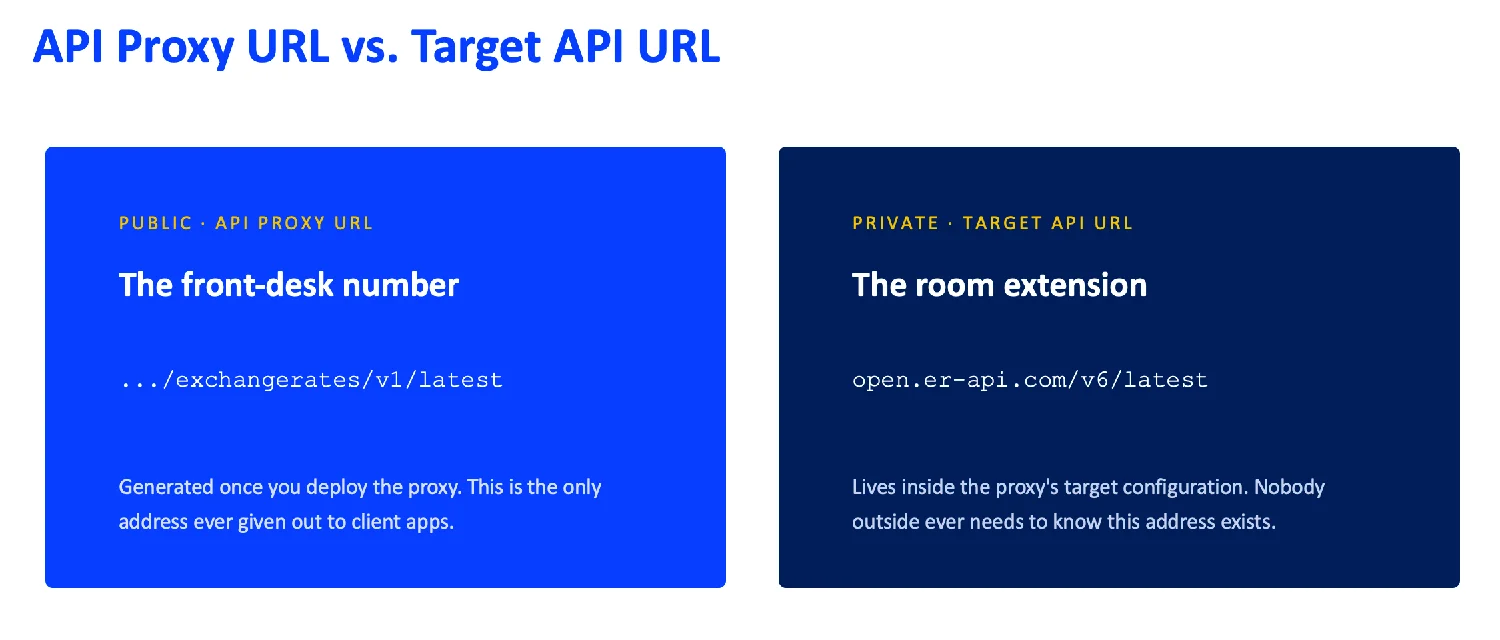
Here is the Target and the Proxy Endpoints in SAP API-M for exchangerates_v1 API Proxy we created.
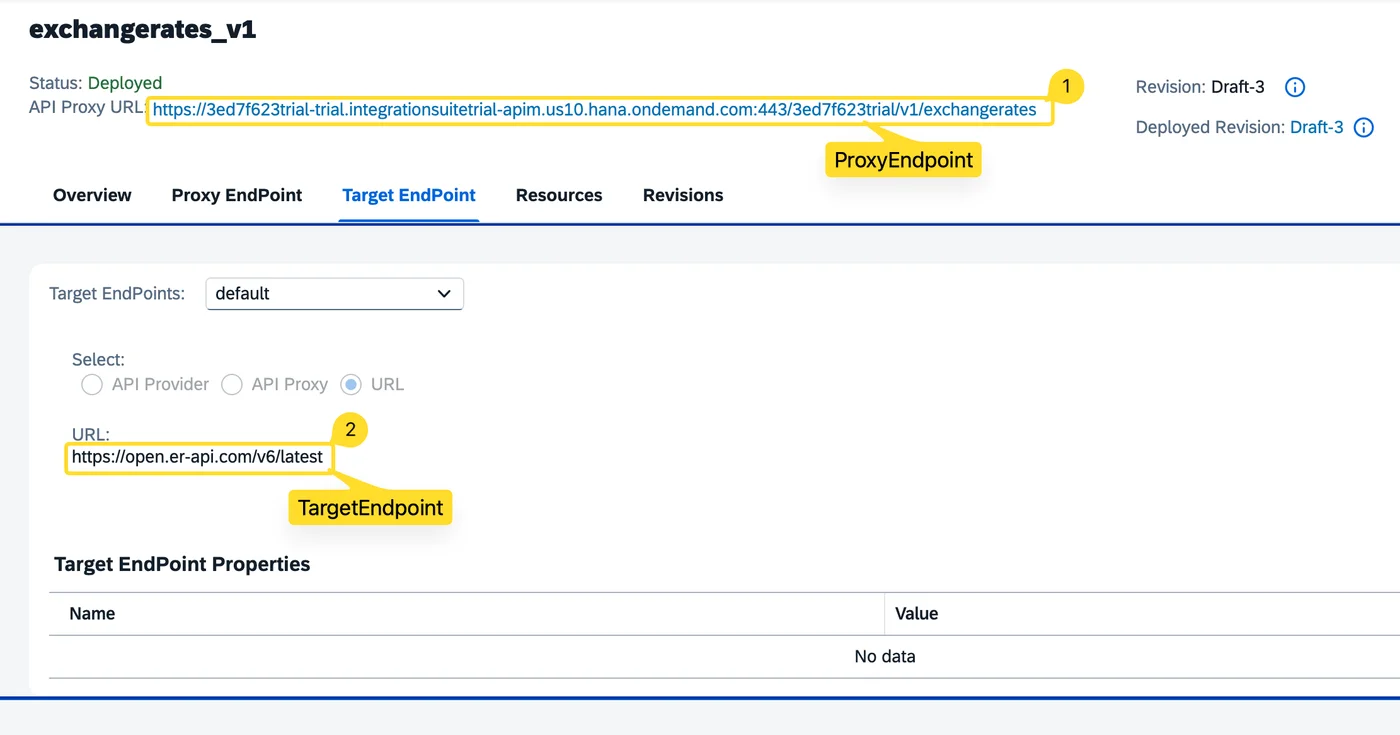
Let’s walk through what happens when the client calls the Proxy Endpoint and sends a request to get exchange rates.
So, the request lands on the ProxyEndpoint’s request side. The PreFlow of the ProxyEndpoint request runs, then if there are any Conditional Flows, they run, and then the PostFlow runs.
Once that is done, the TargetEndpoint request side runs. Again, the same three sub-stages are executed.
That is, we have now passed 6 stages before we get a response from the backend.
Now we get the response with the exchange rates, which lands first on the TargetEndpoint’s response side.
The same three stages, PreFlow, optional Conditional Flow, and PostFlow of the TargetEndpoint response run.
Then it hands over the response to the ProxyEndpoint response, which delivers the results to the client.
Where Should a Given Proxy Policy Actually Go?
Ok, now that we understand the processing flow of the API proxies, the most important part is to understand where to place different policies.
While you should assign some policies to the Proxy Request, other policies you might have to place in the Proxy Response. Well, this comes with experience, but there are some obvious ones. Also, certain policies you cannot place in every section of the flow.
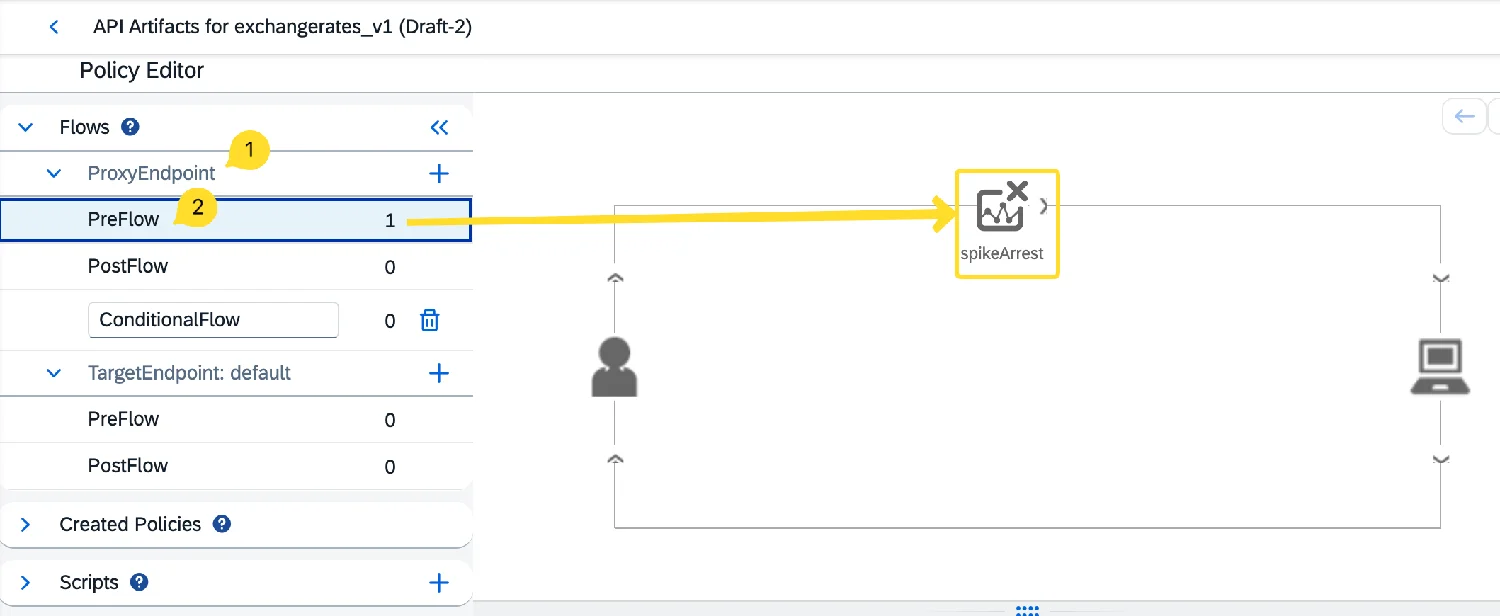
For example, the Spike Arrest policy, which is used to protect your backend from spikes of requests, like bots or due to badly handled retry attempts from the client, you should place in the PreFlow of the ProxyEndpoint request.
It does not make sense to place it anywhere else because you want to identify these request spikes as early as possible and reject them.
Since the PreFlow of the ProxyEndpoint request section runs first in the flow, it is best to place the Spike Arrest policy in that section.
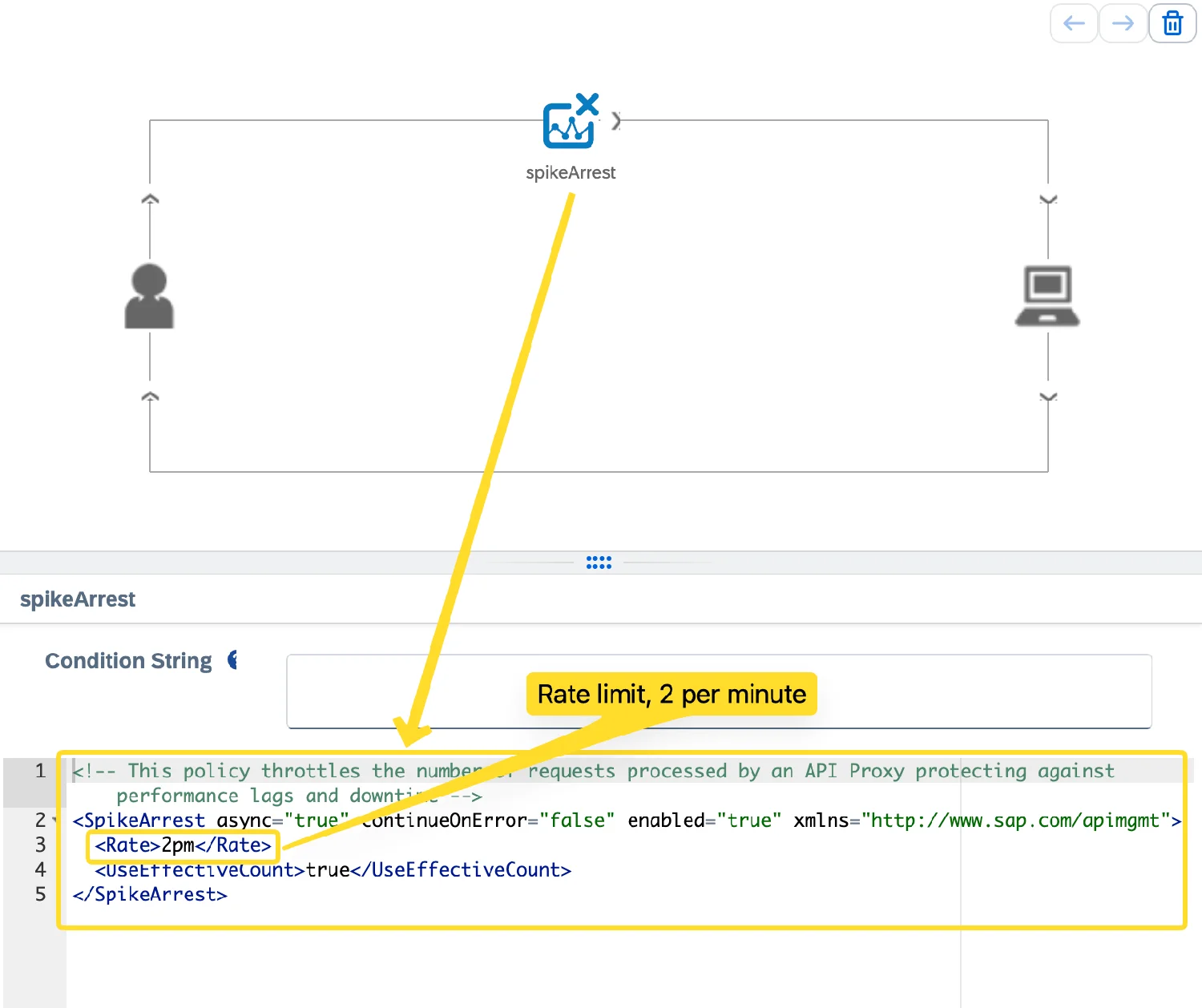
I have triggered the API multiple times in a very short interval so that the Spike Arrest policy rejects further requests.
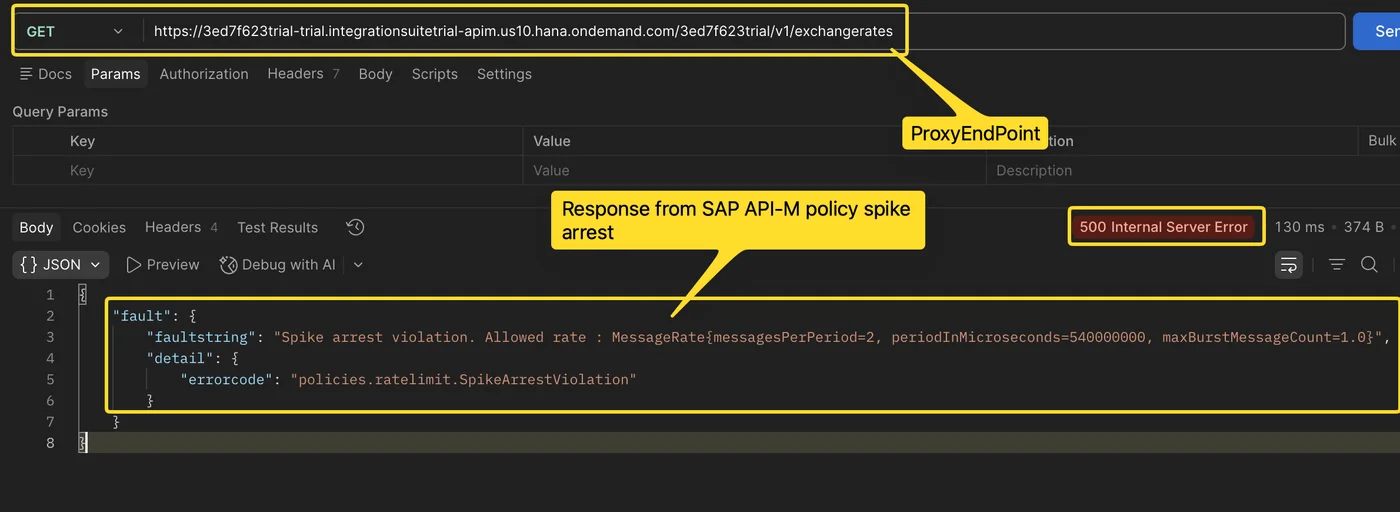
The client is blocked from sending further requests for some time.
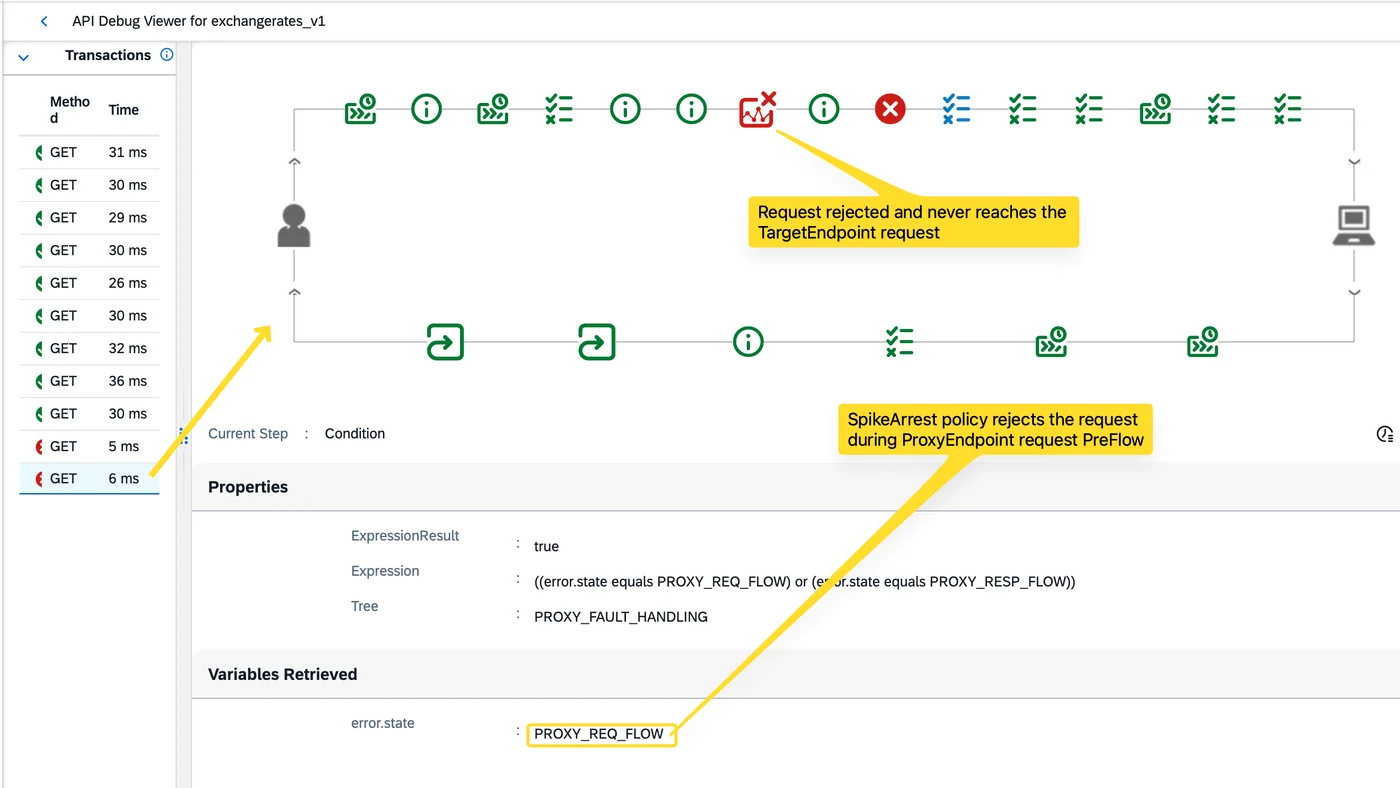
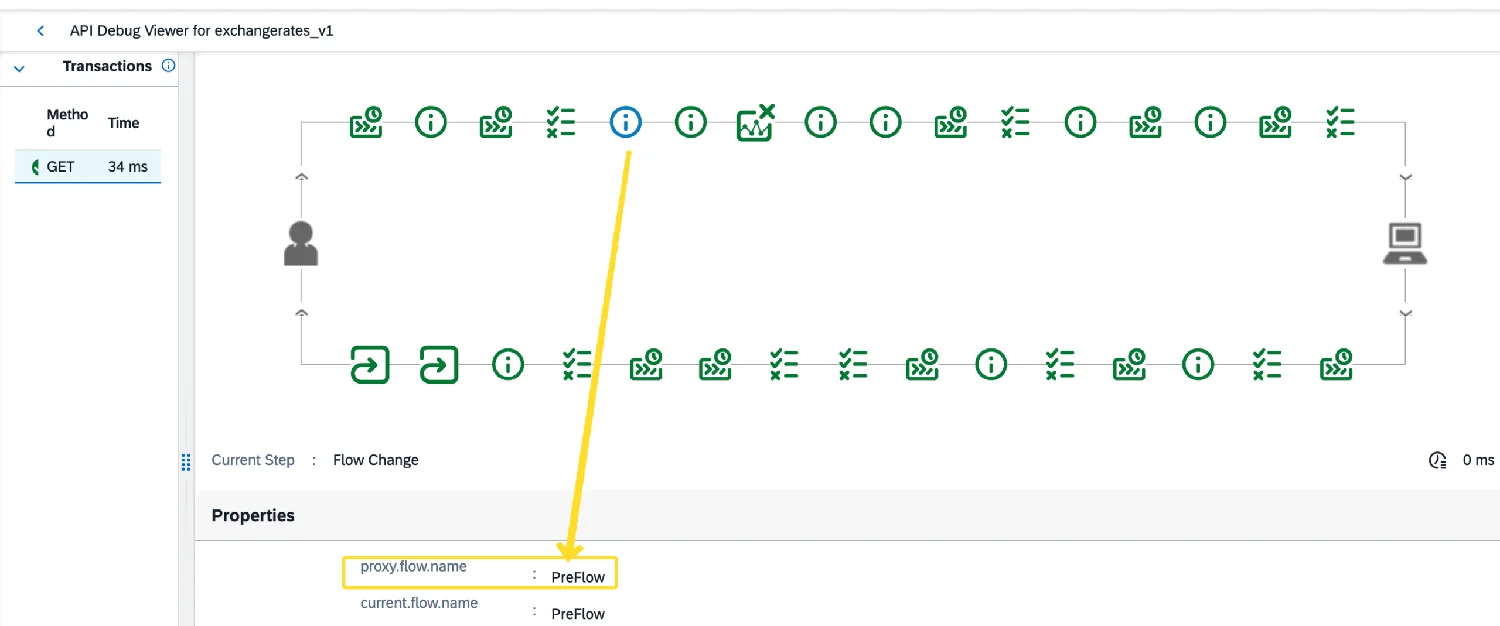
In the debug mode of SAP APIM, notice that the request is rejected during the PreFlow of the ProxyEndpoint request stage, which is, in SAP APIM terms, named as PROXY_REQ_FLOW.
Now let’s look at a few other policies.
| Policy purpose | Where it belongs | Why |
|---|---|---|
| Security & throttling (Verify API Key, Spike Arrest, Quota) | ProxyEndpoint, Request side | Reject bad or excess traffic as early as possible, before it travels anywhere near the target or the backend |
| Backend-specific request prep (a header only the backend expects, Basic Auth credentials for this target) | TargetEndpoint, Request side | Specific to the one backend being called. If you point this proxy at a different backend tomorrow, these are the policies that change |
| Generic response shaping. For example, XML to JSON conversion | ProxyEndpoint, Response side | Normalize the response to the client, regardless of the format the backend responds with. |
Summary
The key takeaway is to understand that there are two sides of an API Proxy: the ProxyEndpoint and the TargetEndpoint.
Each of these has a request and response.
Every request section and response section follows the same flow: PreFlow, Conditional Flow, and then the PostFlow.
While PreFlow and PostFlow are always executed, the Conditional Flow is optional and only executes based on conditions.
I hope you enjoyed the article and learned something new. If you are interested in learning SAP Integration Suite, check out my Cloud Integration with SAP Integration Suite Online Course.