
Header and Exchange Property Parameters of SAP Integration Suite
Isuru Fernando ·
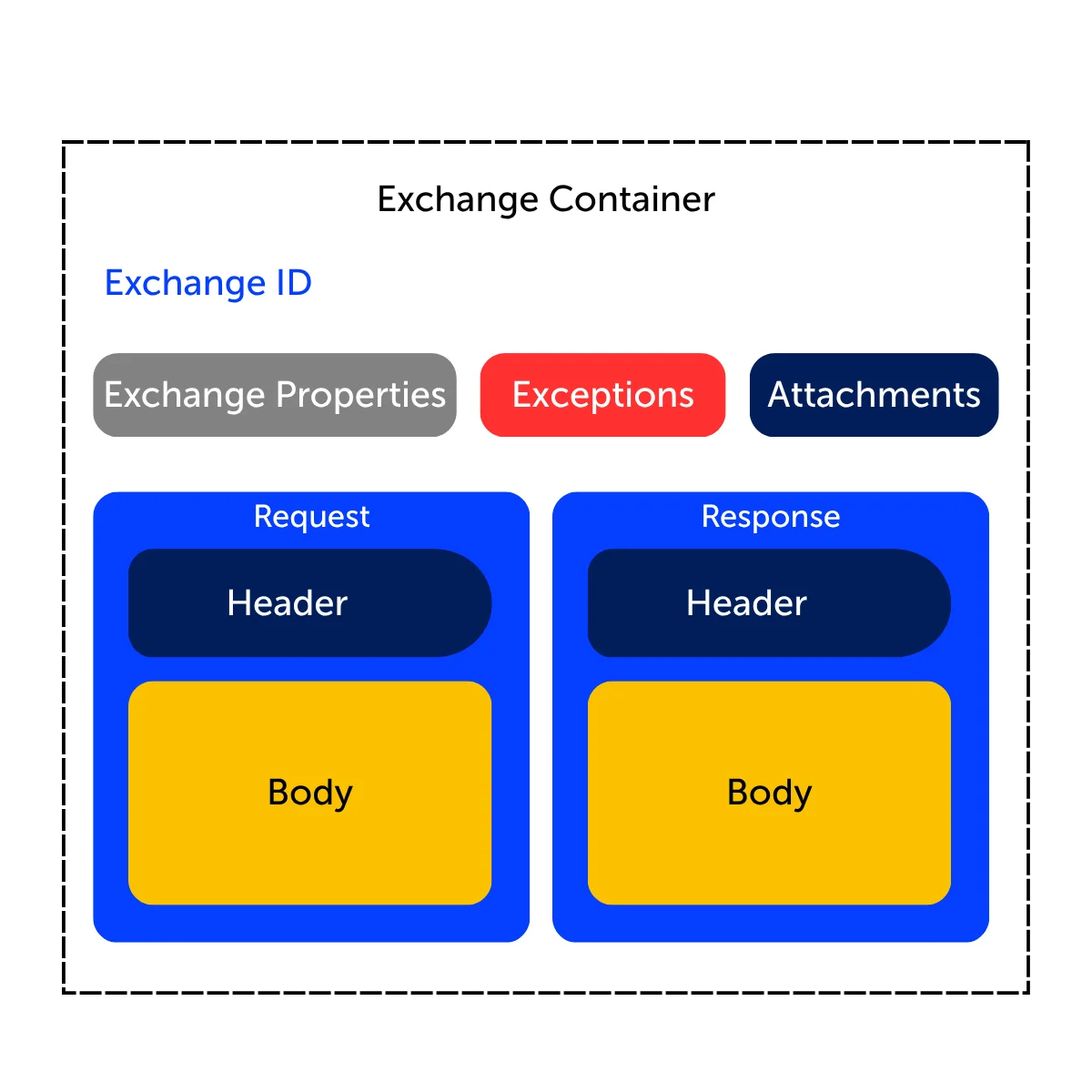
In this article, we will explore the concepts of Headers and Exchange Properties in detail, including how they are represented as key-value pairs and how they differ from each other. We will also look at how headers can be accessed dynamically at runtime using Camel expressions, enabling you to create flexible integration logic based on message metadata. Additionally, the concept of exchange in SAP Cloud Integration, and how the message processing runtime works.
Furthermore, we will see how to send custom headers as part of an incoming HTTP request and consume them within your iFlow. Finally, we will cover practical operations such as assigning header values to Exchange Properties and removing headers from the outgoing message before it is sent to the receiver.
Structure of a Message in SAP Integration Suite
In SAP Integration Suite SAP Integration Suite, a message is made up of two main parts: the Body and the Headers. The Body contains the actual data being sent between systems, such as an order, invoice, or customer details in formats like JSON or XML.
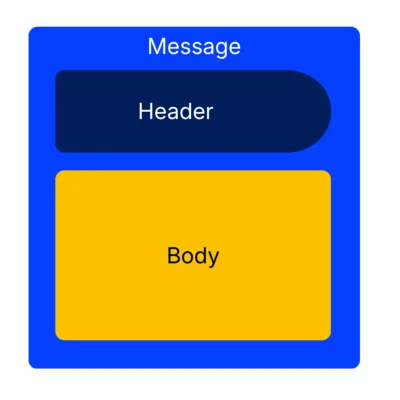
The Headers contain additional information about the message, such as sender details, content type, or routing information. While the body carries the business data, the headers help control how the message is processed and delivered without changing the actual content.
Key and Value Pair Concept of a Header Parameter
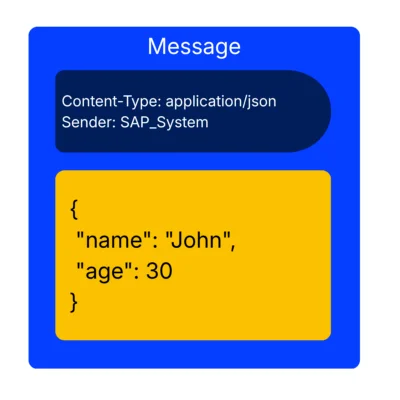
Each header consists of a key (the name of the information) and a value (the actual data), such as
Content-Type = application/json
Sender = SAP_System.
In the first, “Content- Type” is the key of the header and the “application/json” is the value of that header parameter.
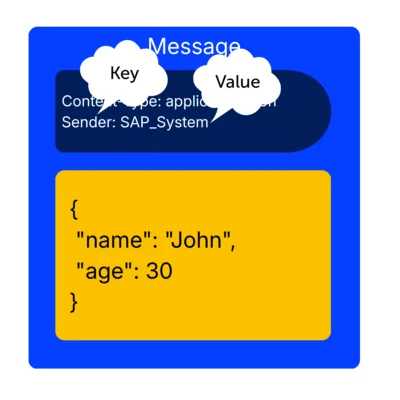
These headers are used to pass metadata that helps control how the message is processed, and to add more meaning to the body of the message.
Concept of Exchange in SAP Integration Suite
In SAP Integration Suite SAP Integration Suite, an Exchange is created the moment a message enters an integration flow through a sender channel (for example HTTP, SFTP, or SOAP). At this entry point, the runtime wraps the incoming message into a structured exchange data object that contains the message body, headers, and internal processing context. This marks the start of the message processing lifecycle.
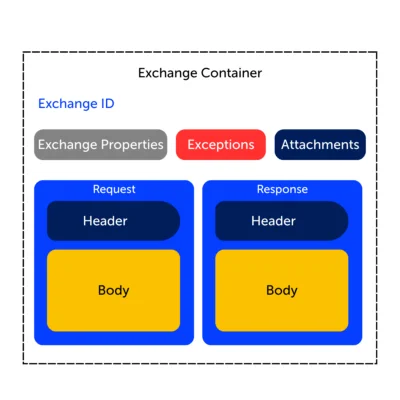
Once created, the exchange moves step by step through the iFlow pipeline. Each processing step, such as Conversions, Message Mapping, Groovy Script, or Router can read and update the exchange. During this phase, the body may be transformed, headers may be adjusted, and exchange properties may be added to store intermediate values. Importantly, the same exchange continues to travel through all steps, carrying its state with it until the target output message is generated.
When all processing steps are completed, the exchange reaches its final stage. Here, the outgoing message is constructed from the updated body and relevant headers of the output (response) message, and it is sent to the receiver system through the configured adapter. After successful delivery (or error handling if something fails), the lifecycle of that exchange ends, and the runtime discards it. In short, an exchange is born at message entry, evolves through processing, and is terminated once the final output message is delivered.
Hence, exchange is mainly divided into three structural areas that together define its behavior and lifecycle.
- The Incoming Message (In Message) area holds everything as the message enters the iFlow. This includes the original payload (body) and all incoming headers exactly as received from the sender system.
- The Outgoing Message (Out Message) area represents the final state of the message after processing is completed. This is where the transformed body and final headers are assembled, ready to be sent to the receiver system.
- Between these two lies the Common Exchange Area, which is used for internal processing during the entire lifecycle of the message. This area includes exchange properties, exceptions, and shared context data that can be read and updated by different steps in the iFlow.
Let’s look at how headers are seen in SAP IS
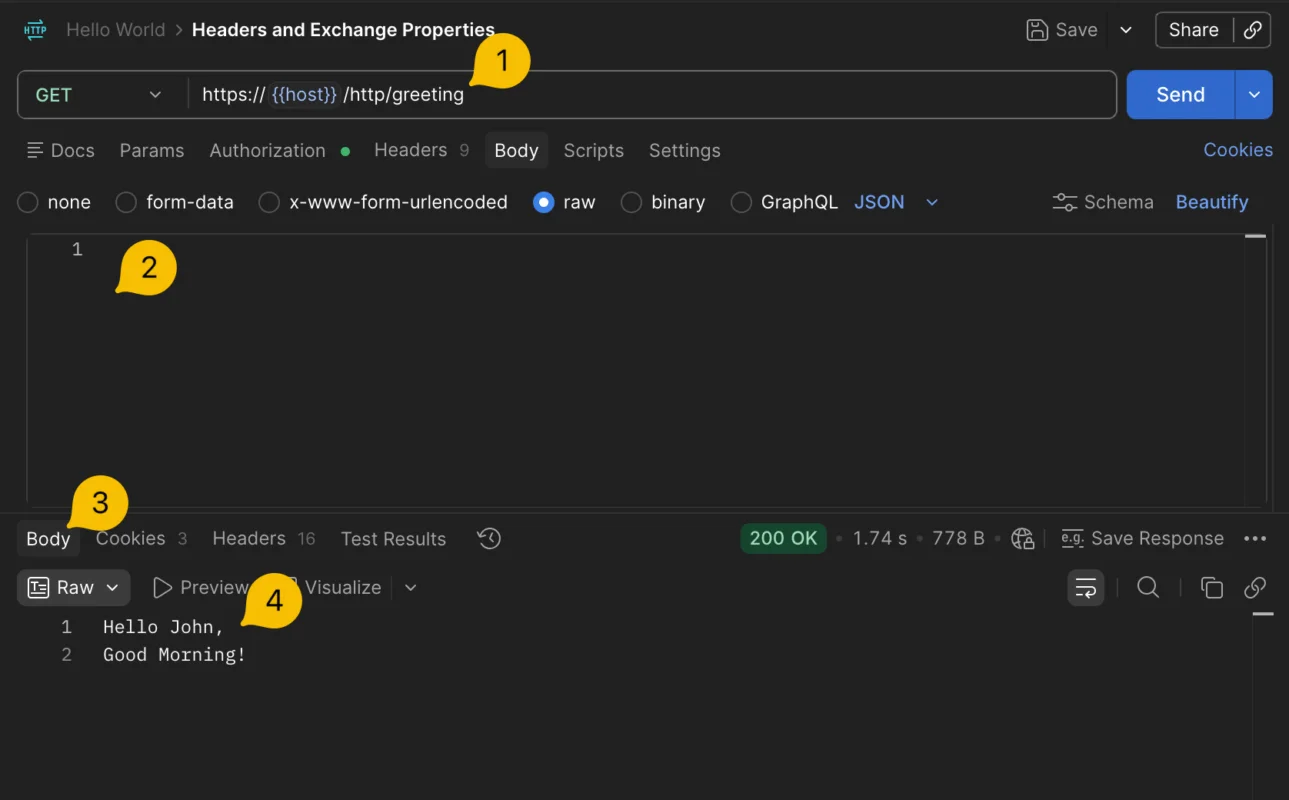
Lets create a iFlow that response with an greetings message.
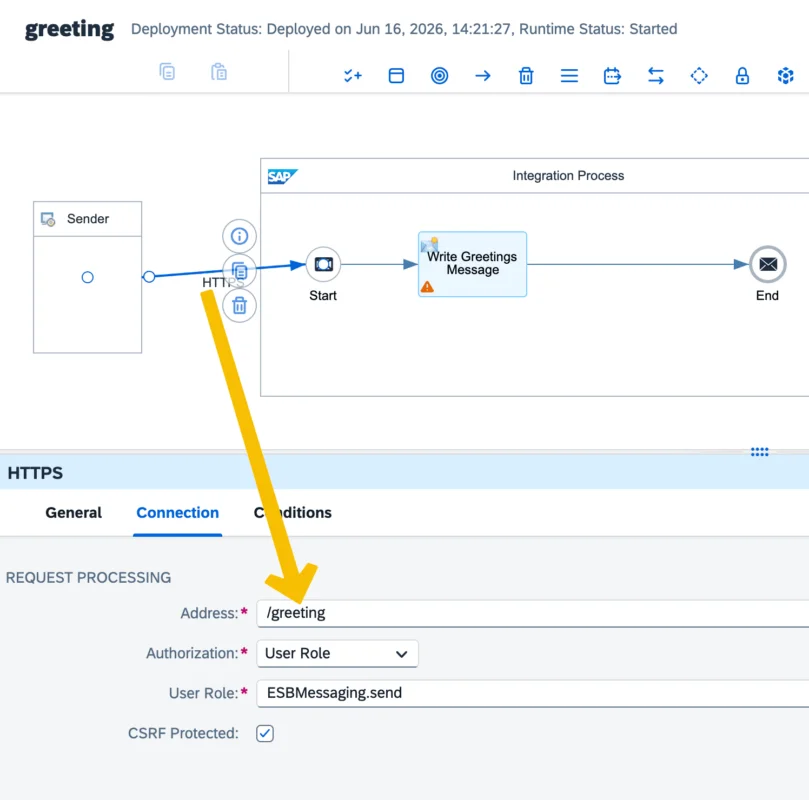
Create a new iFlow and configure the HTTP address
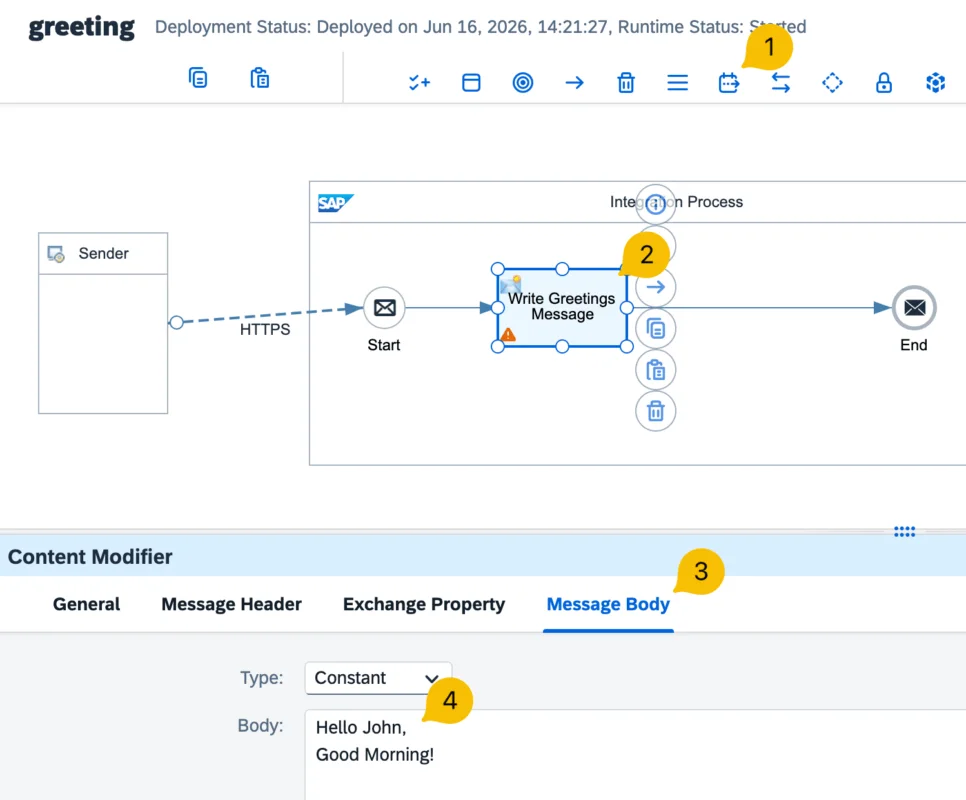
Add a Content Modifier and write the body of the message
Test the iFLow
Let’s Use a Header Parameter
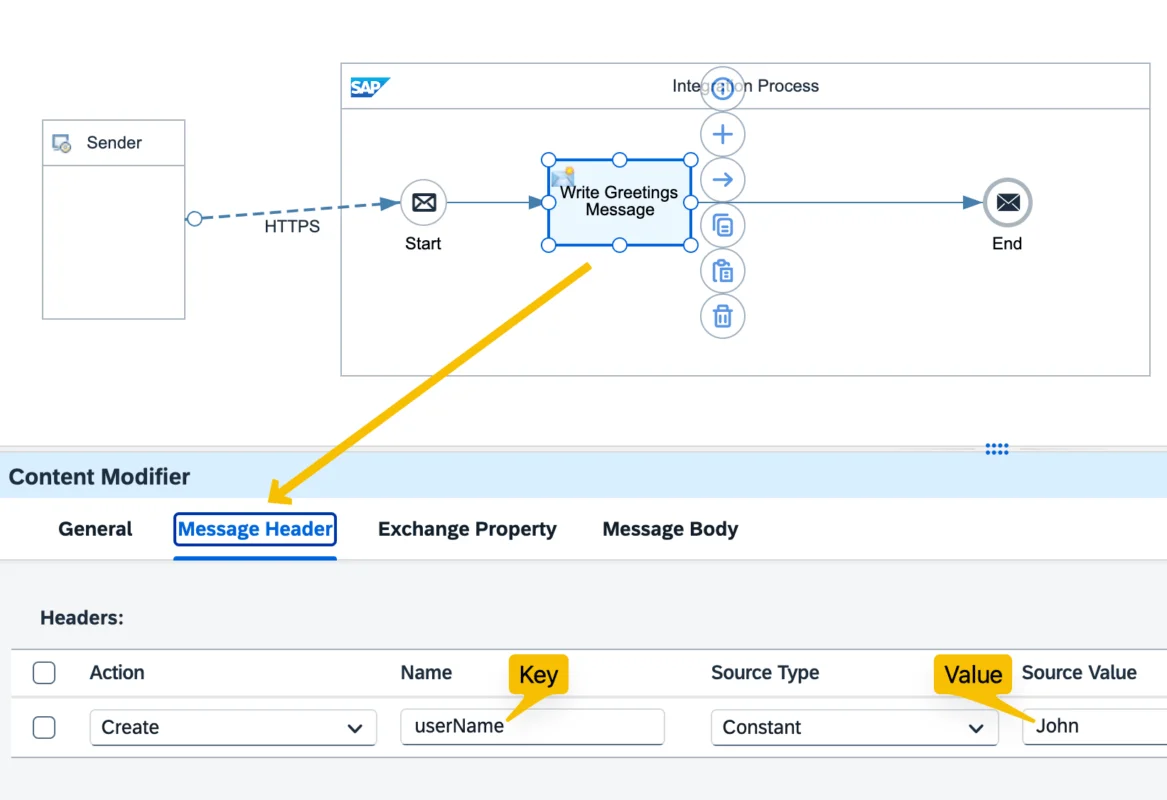
Now let’s parameterize this response message. Instead of using a constant value directly for the name, let’s parameterize it using a header parameter. Create a header parameter named userName and set its value to "John".
Add a new header parameter using the Content Modifier
Extract the value of the header parameter during runtime
So, how do we extract the values of these header parameters dynamically? The answer is by using an expression. As we discussed earlier, SAP Integration Suite is built on top of the Apache Camel framework, which offers Camel Simple language for accessing message data.
For example, to access a header parameter using Camel Expressions, you can use the following syntax:
${header.<header_name>}Here, <header_name> represents the key of the header whose value you want to retrieve.
For instance, if you want to read the value “John” of a header we created named userName, you can use: ${header.userName}
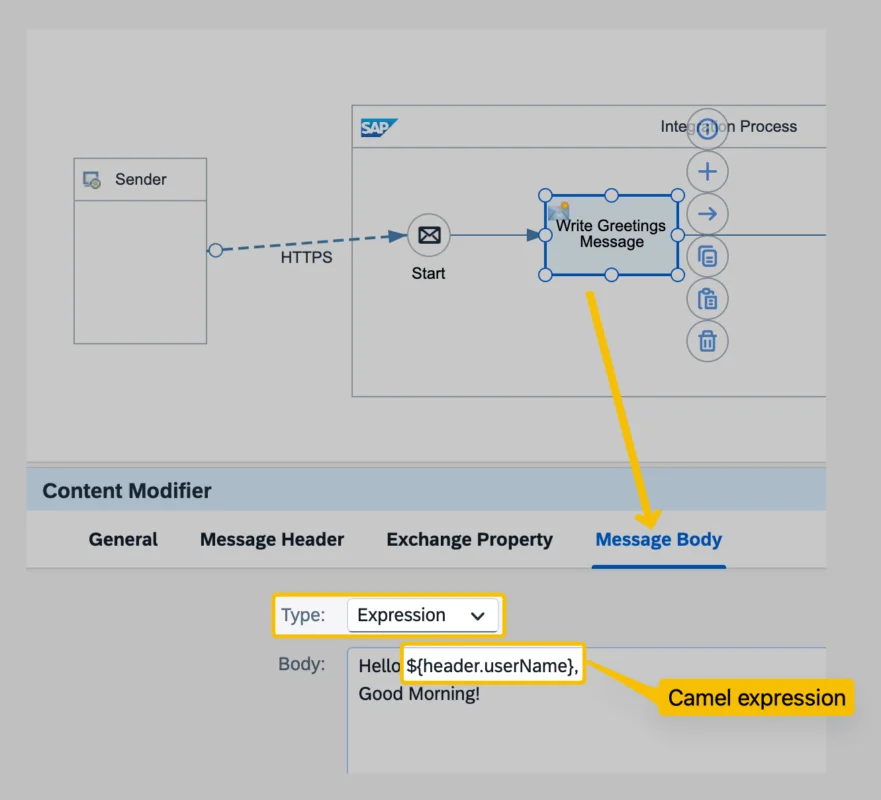
Don’t forget to change the Type configuration option of the message body to Expression. This indicates that the body of the response message is no longer a constant but should be derived dynamically at runtime using Camel expressions.
Test the iFlow
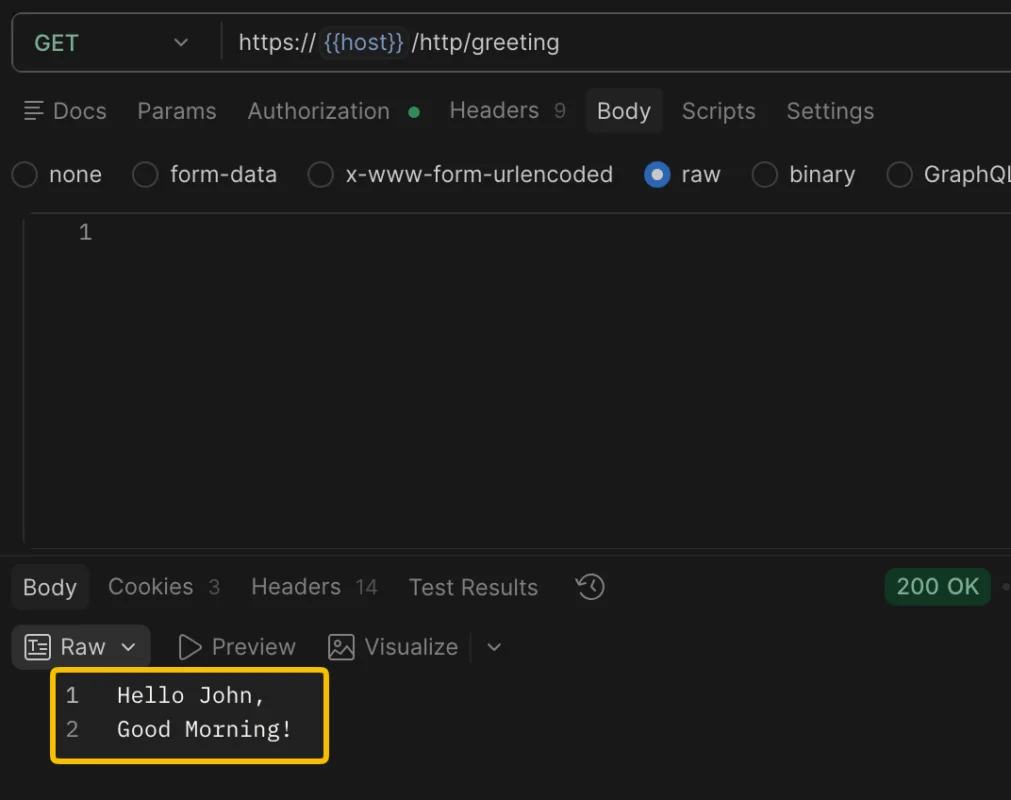
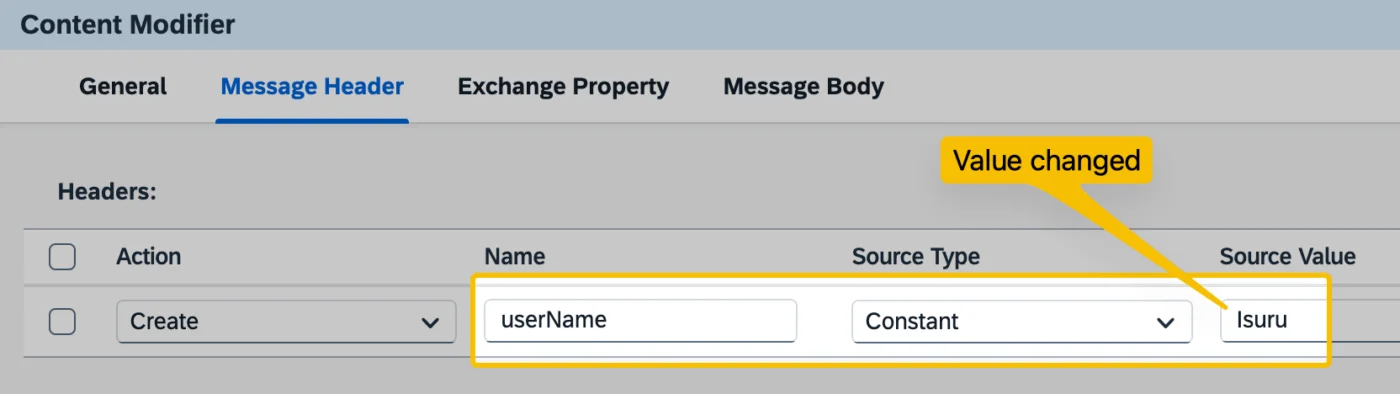
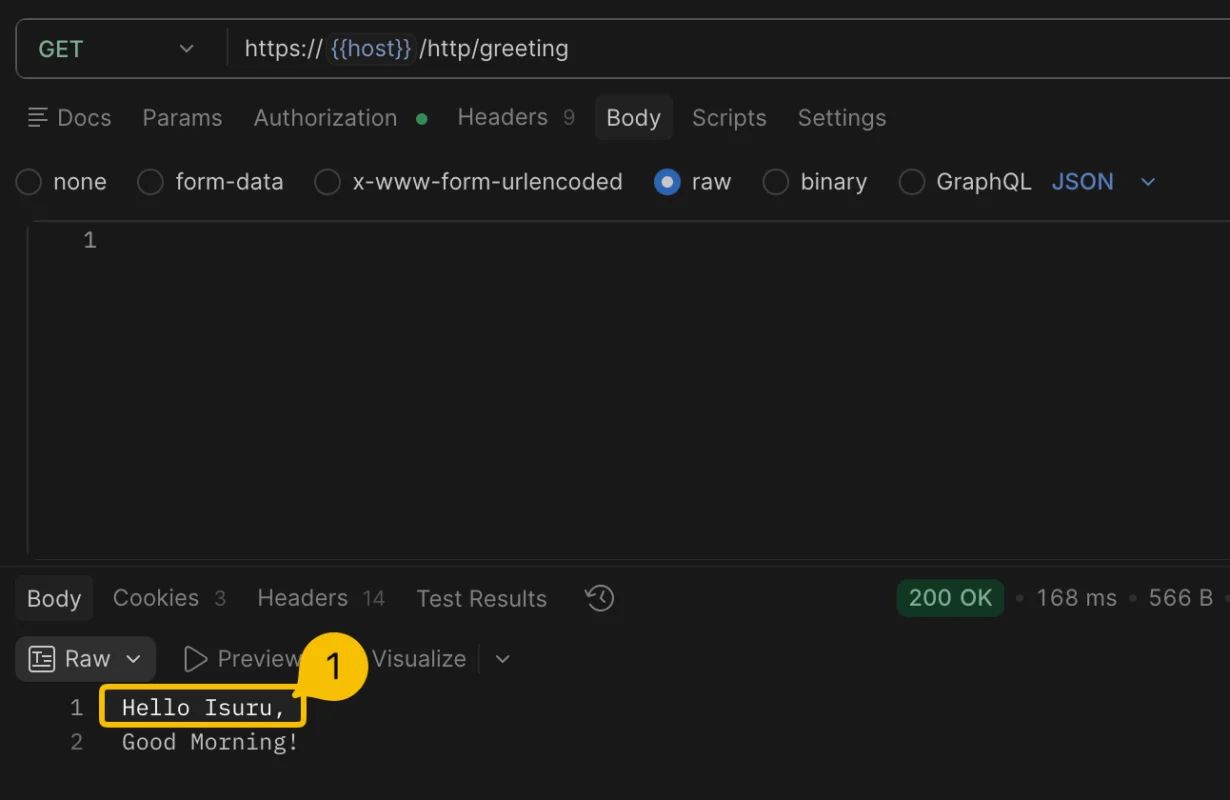
Change the value of the header parameter and test again
Using an Exchange Property Parameter
Now, let’s create an Exchange Property parameter to parameterize the greeting message in the second line of the message body.
Create an exchange property parameter
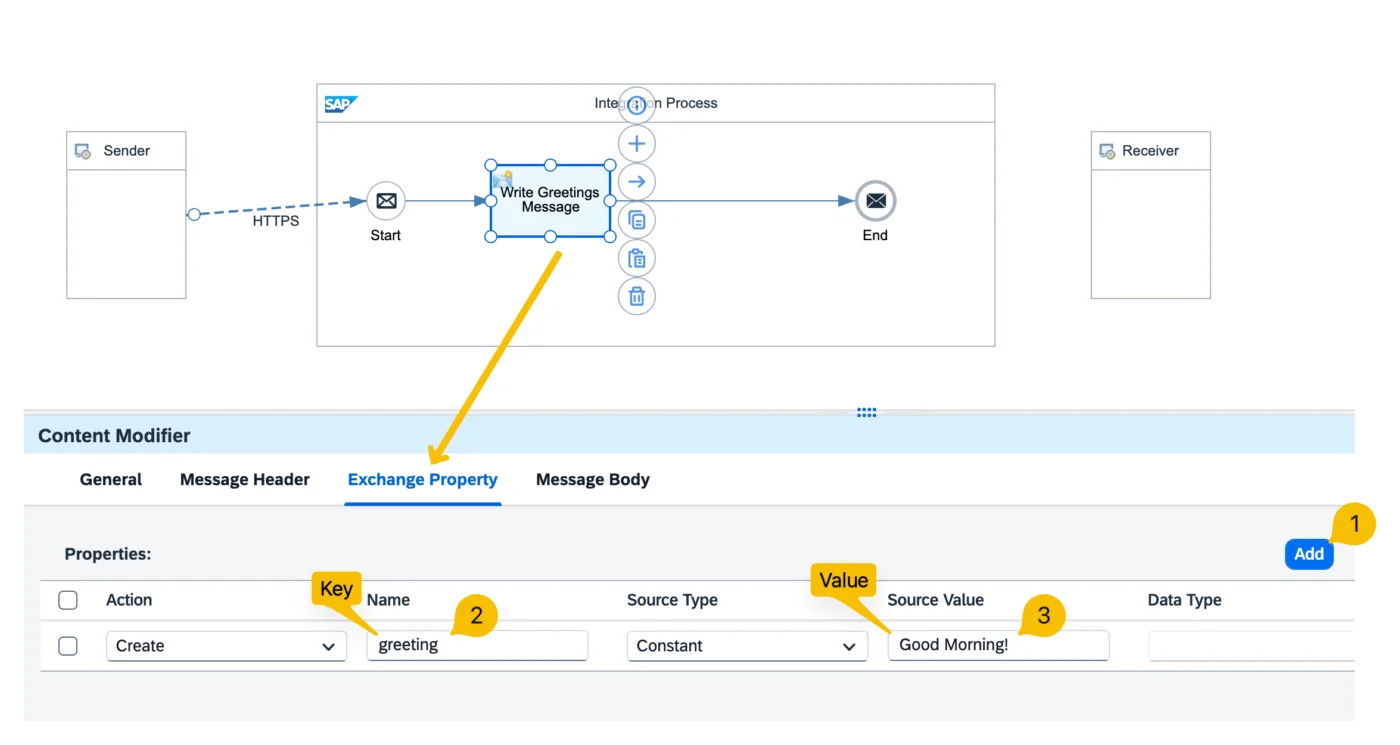
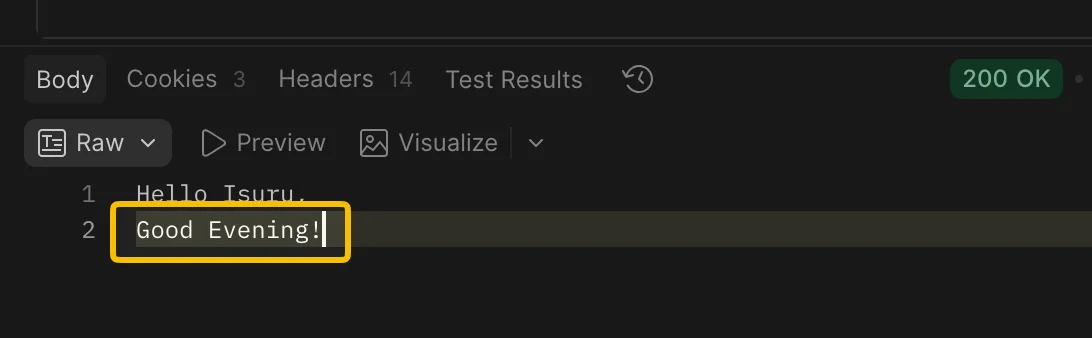
Let’s change the value of the Exchange Property parameter to “Good Evening”. Now you can see how the expression dynamically reads the value of the parameter and uses it in the output message.
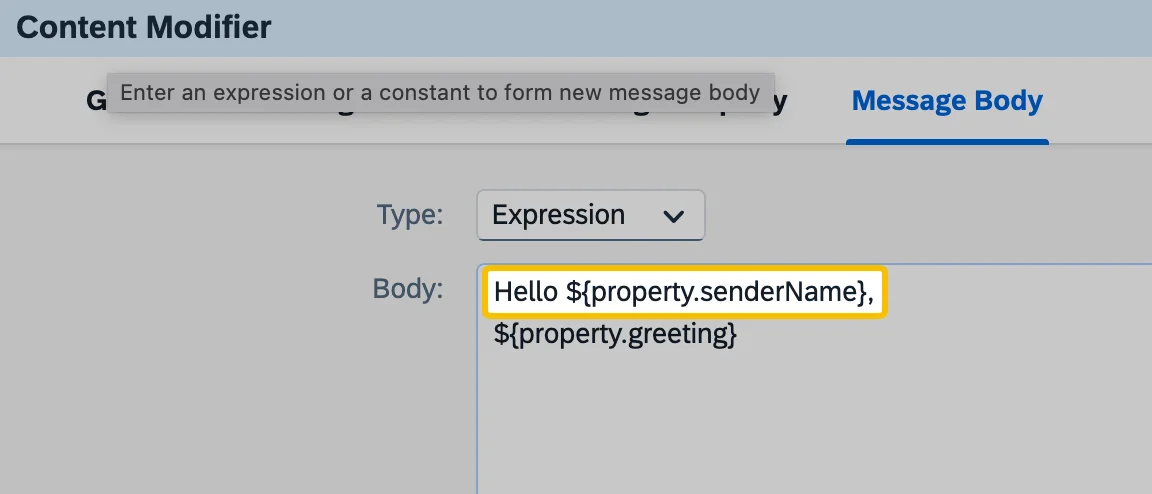
Dynamically read the value from an exchange parameter using an expression
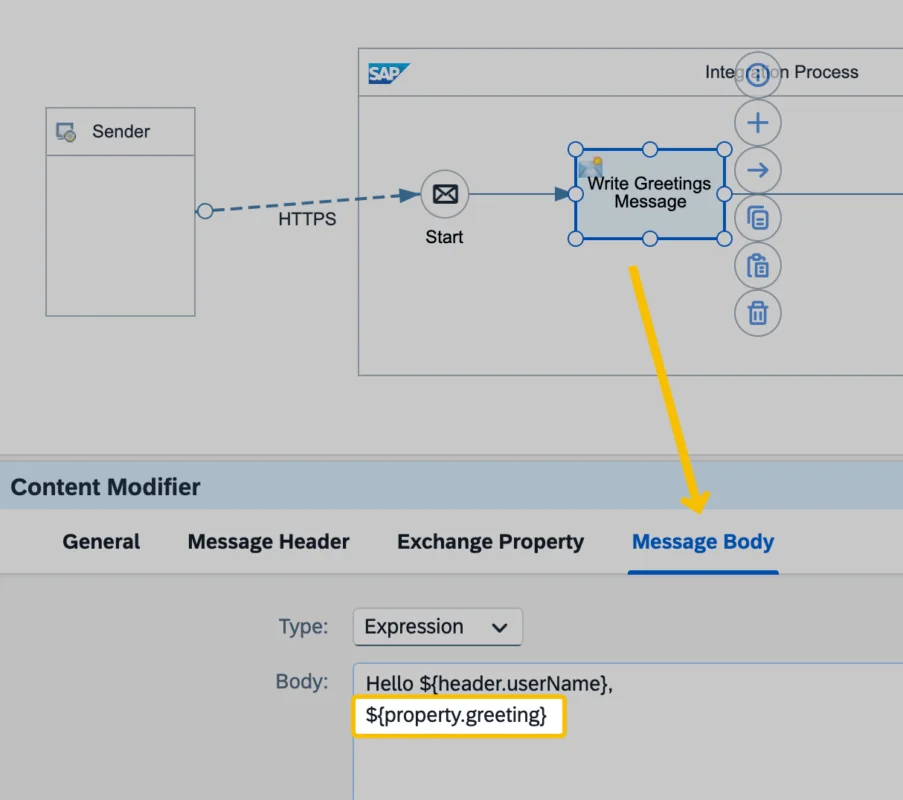
Let’s test the iFlow
What is the Difference Between Header and Exchange Property Parameters?
Headers are passed on to the outgoing message, whereas Exchange Properties exist only during the runtime of SAP Integration Suite and remain internal to the integration flow.
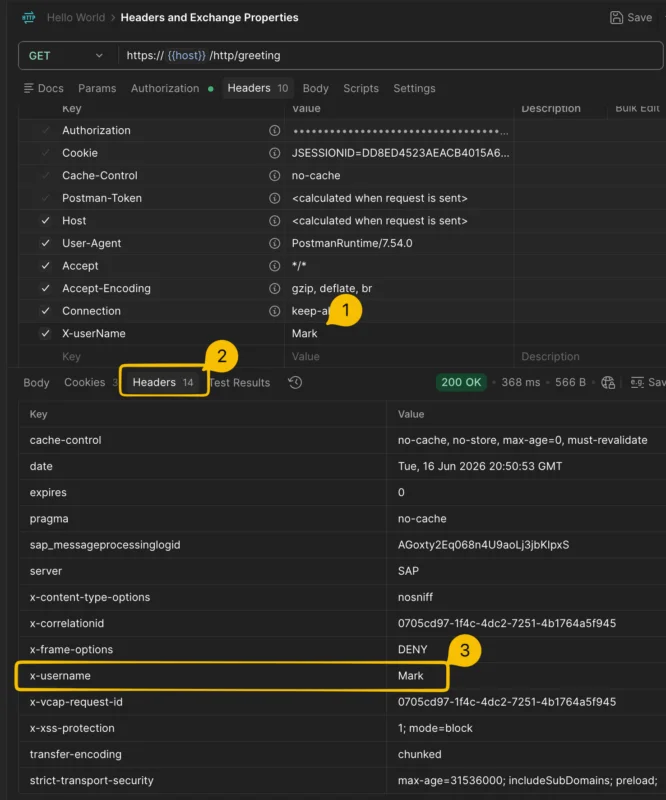
You can observe this behavior in the response message of the iFlow. If you go to the Header section of the response message, you will notice that, in addition to the default header parameters, the custom header parameter that we added in the iFlow is also present in the response message headers.
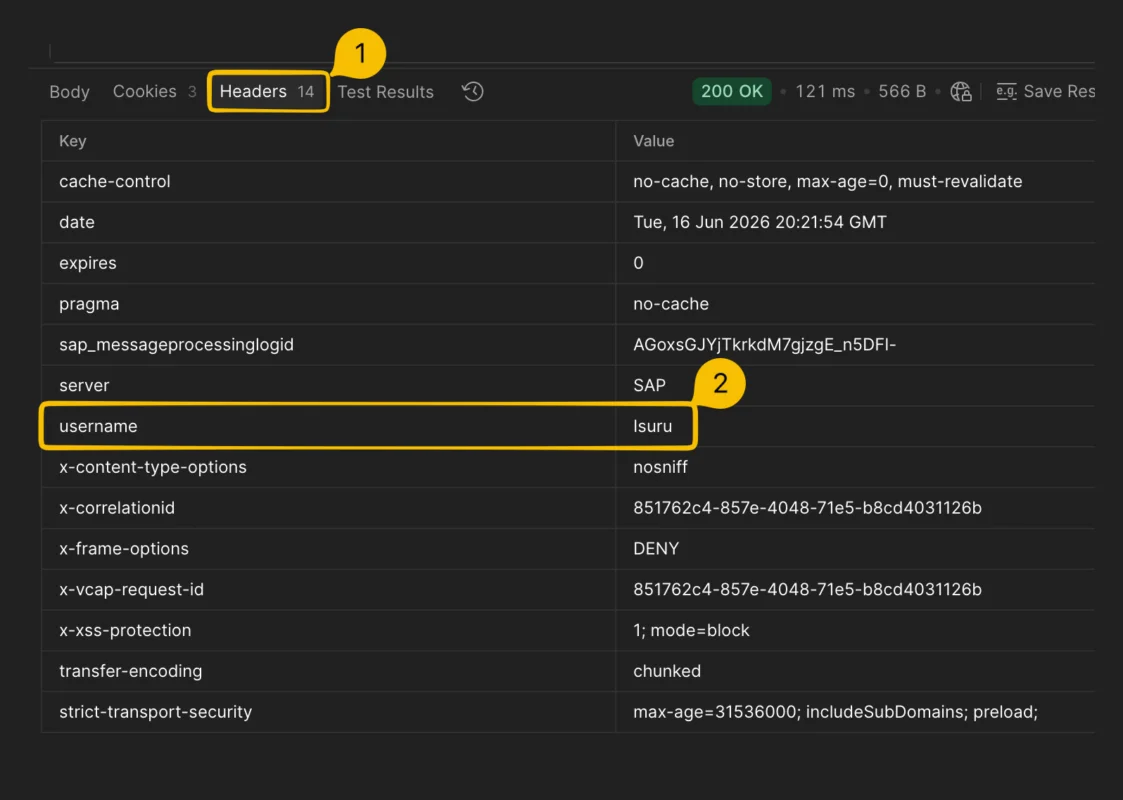
Do you see the Exchange Property parameter we created for
userName? No, because Exchange Properties are internal to SAP Integration Suite and are not propagated to the outgoing message.
Using a Header Parameter from Incoming Messages
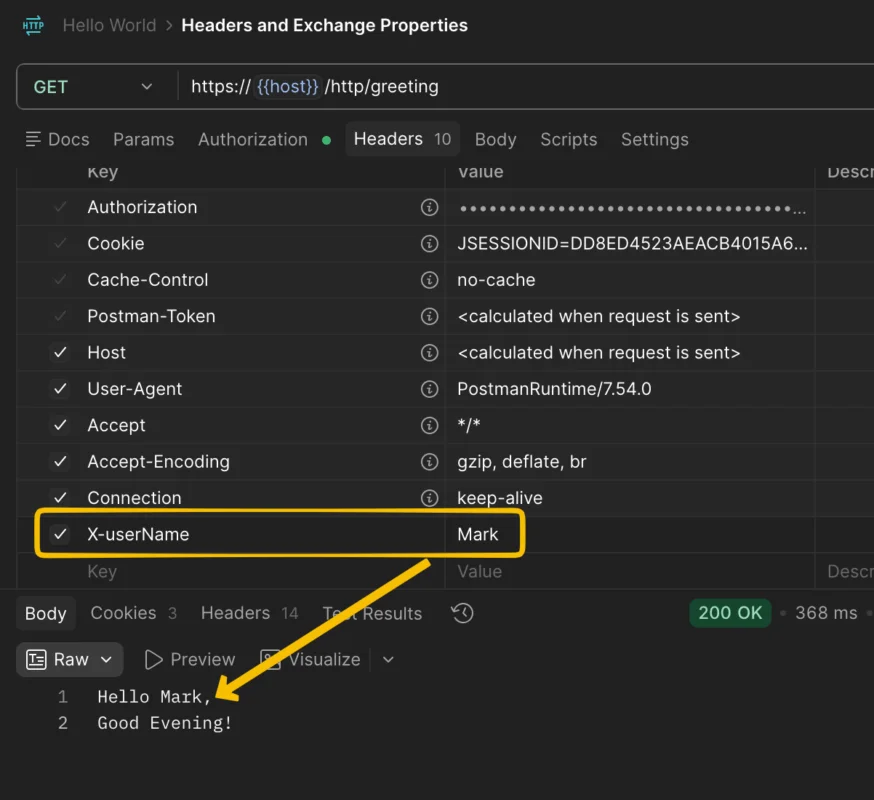
Let’s create a header parameter called X-userName and send the user name in the request message.
First, let’s add the parameter to the request message.
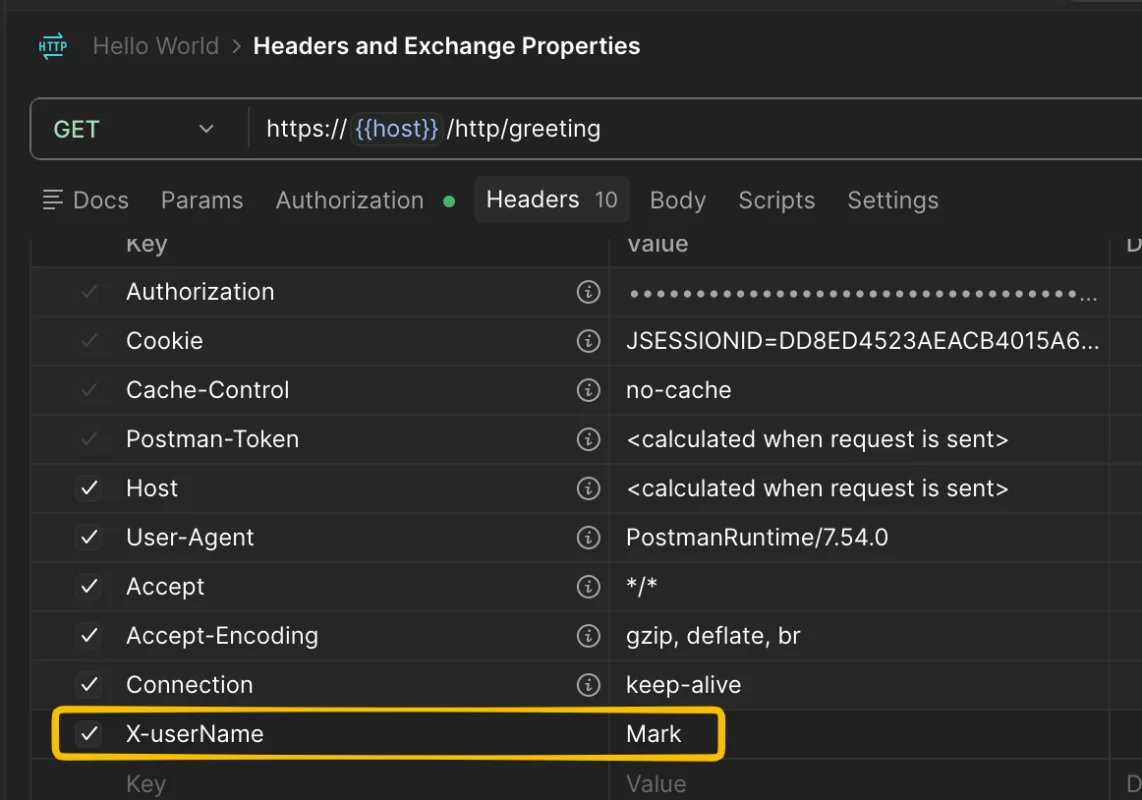
Next, let’s adjust our expression to extract the value from the header parameter in the request message. We will also delete the header parameters that we created in the iFlow using the Content Modifier.
If we test the iFlow now, you will notice that the user name is blank. The value was not read correctly by the expression.
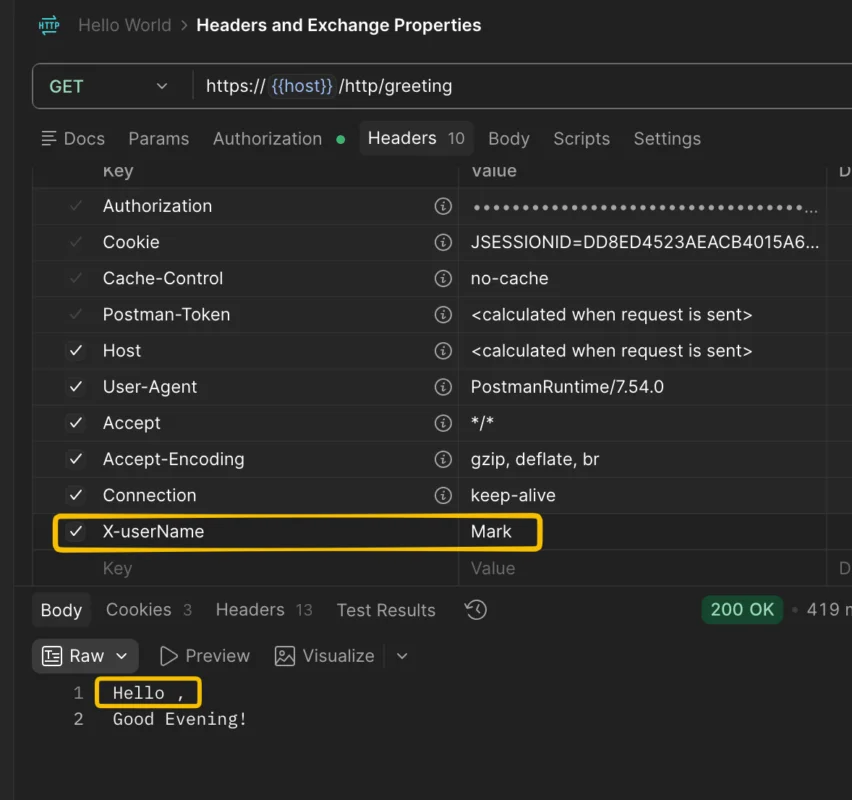
This is because we are missing one important configuration. At the moment, incoming message header parameters are not allowed to enter the iFlow. If we want to use incoming header parameters, we must explicitly allow them by configuring the Allowed Headers in the Runtime Configuration of the iFlow.
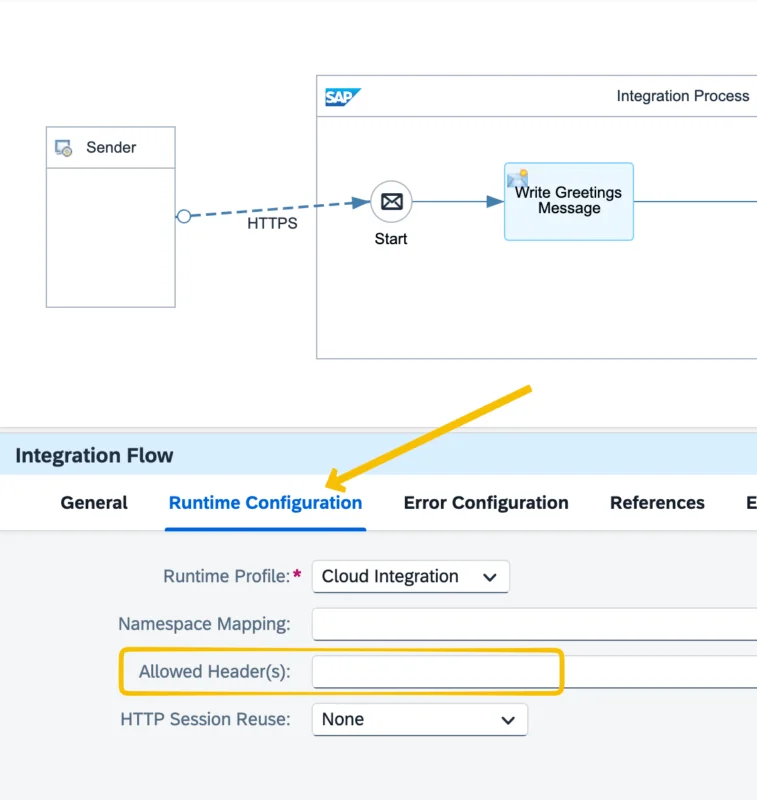
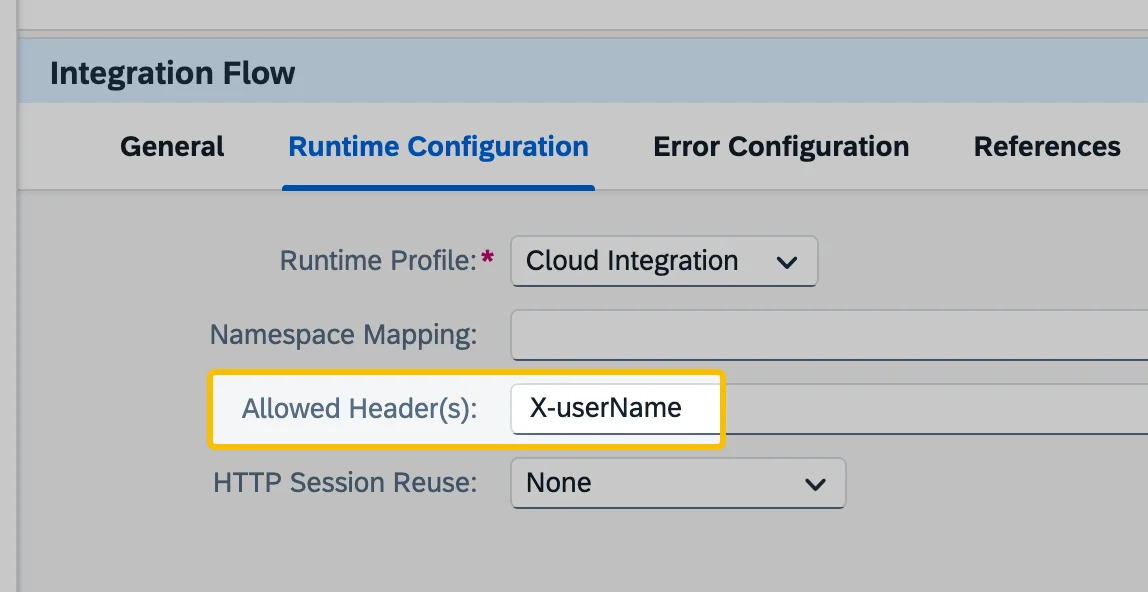
Let’s configure the allowed headers and add the X-userName header parameter there so that it is permitted to enter the iFlow.
Now, if you test the iFlow again, you will notice that the message body is as expected. We have successfully used a header parameter coming from the incoming request message.
How to Delete a Header Parameter from the Response Message
You will notice that the header parameter coming from the request is automatically copied to the outgoing message. But what if you do not want to pass this parameter to the response?
You can delete unwanted headers during runtime using a Content Modifier. We will use the value from the header parameter in the first step, and in the 2nd steps we will delete the parameter.
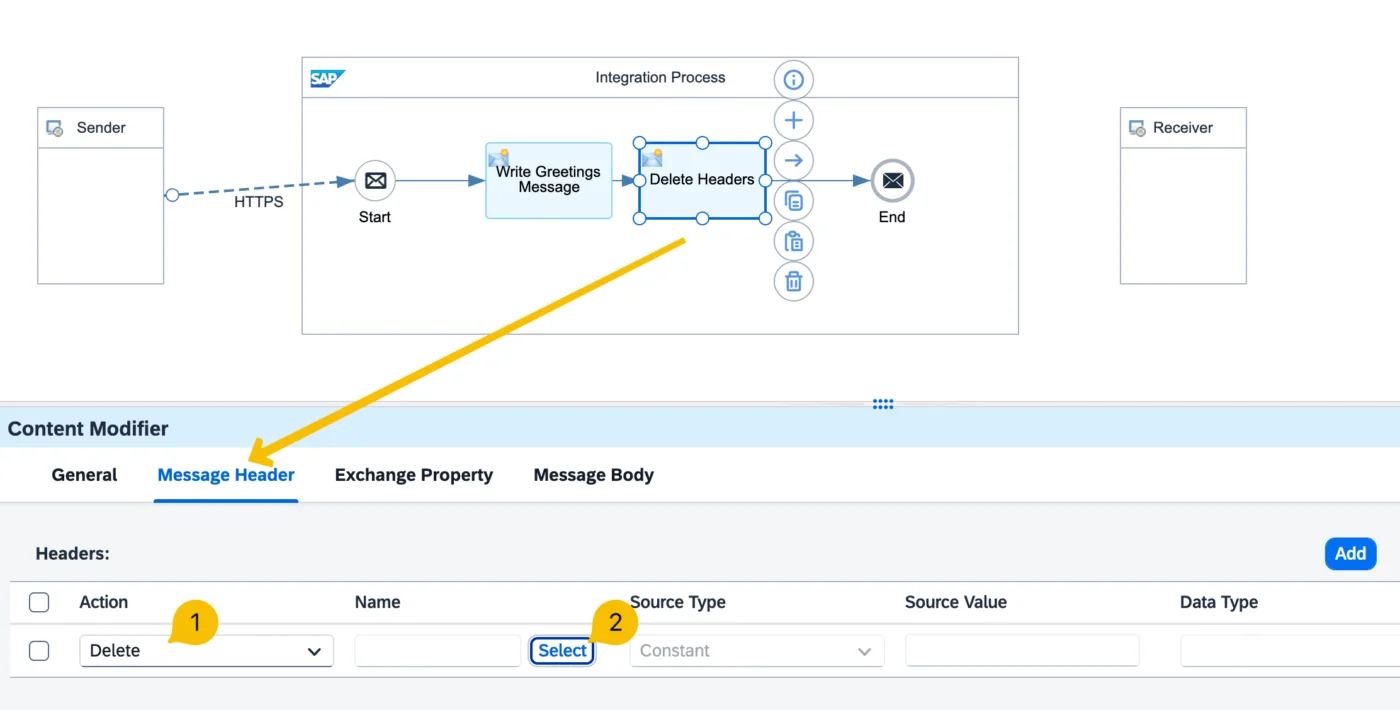
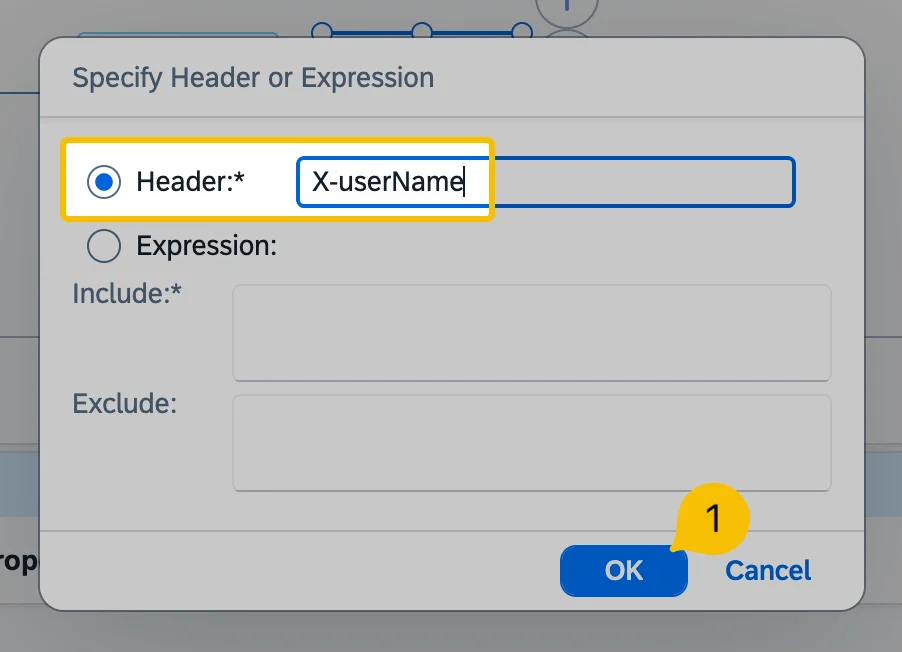
Now select the header parameter you want to delete. In our example, we want to remove the header parameter X-userName.
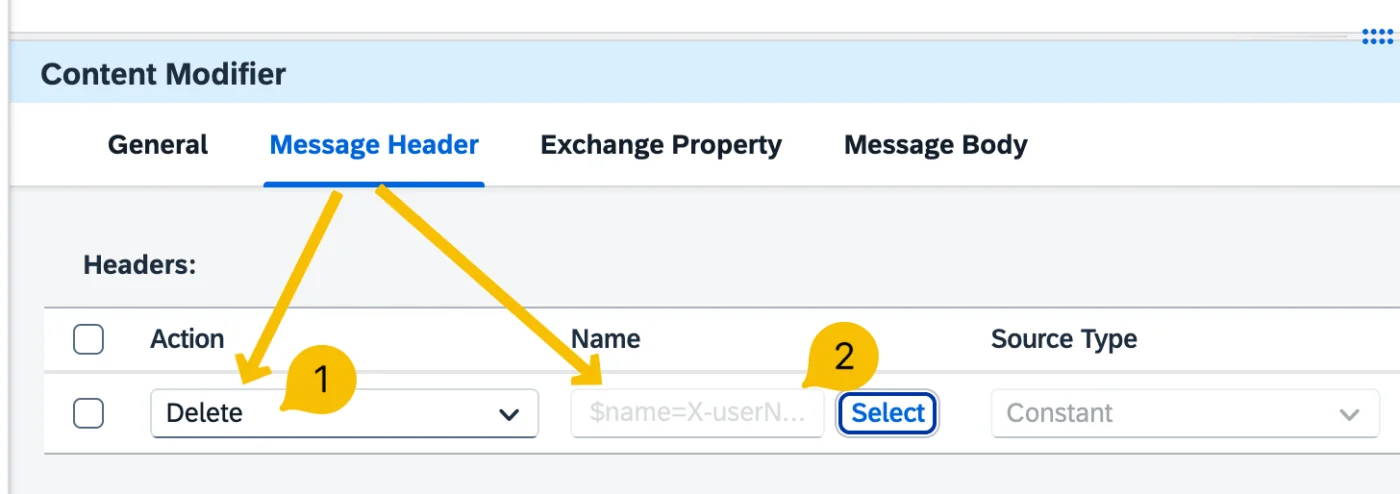
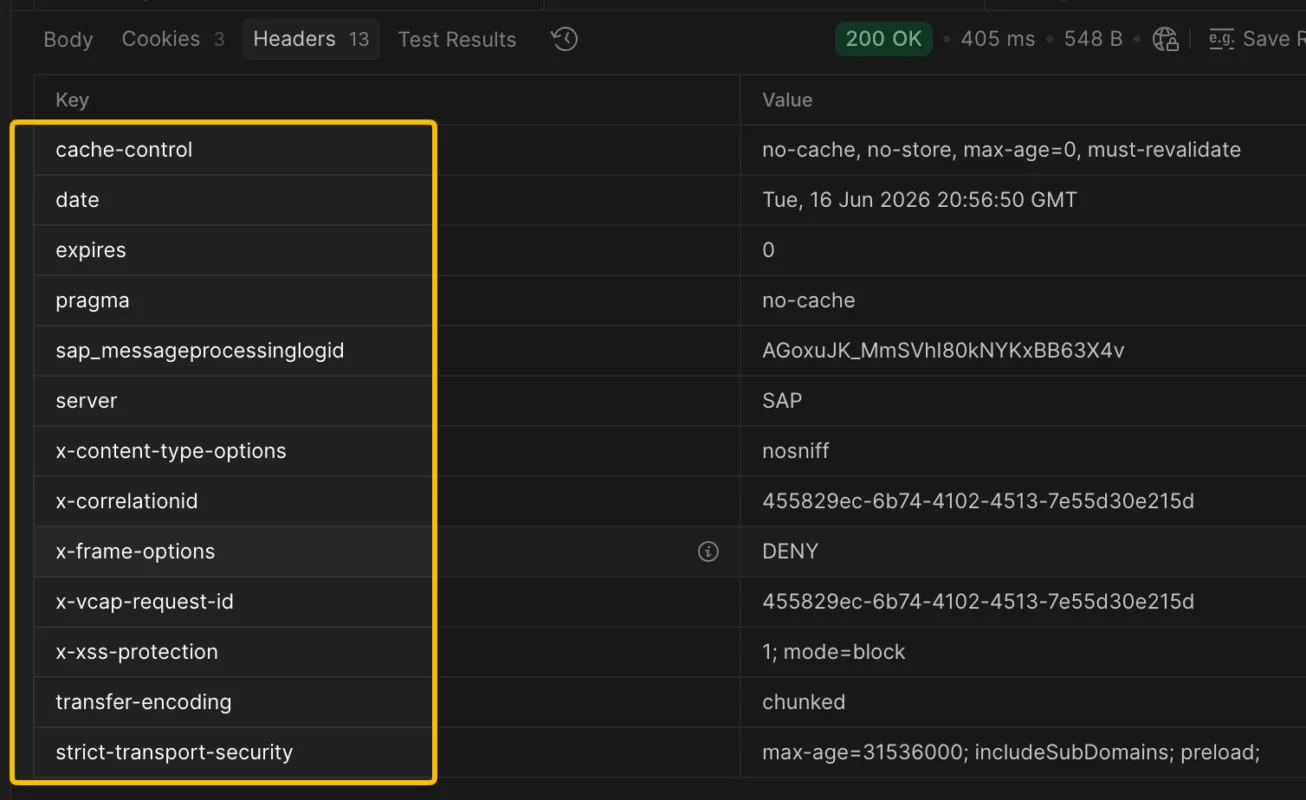
Test the iFlow again, and you will notice that the header parameter X-userName coming from the request is now removed from the output.
Assigning Headers to Exchange Property Parameters
You can also copy the value of a header parameter to an Exchange Property using a Content Modifier.
This is useful when you want to use a value internally within the iFlow without propagating it to the outgoing message.
Let’s first delete the header parameter we first created from the iFlow.

You can assign the value of an Exchange Property back to a header if you want to expose it in the outgoing message.
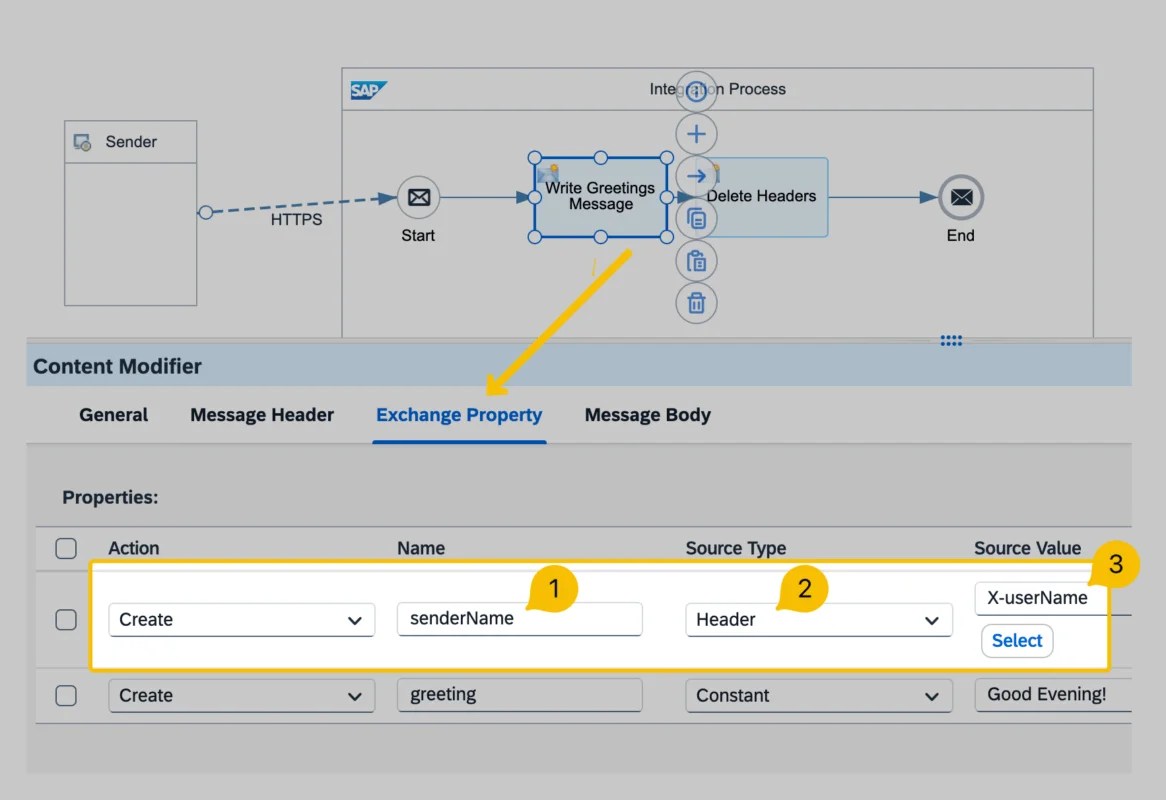
Now we can use the exchange property at runtime, instead of the header parameter.
I hope you enjoyed this article. If you’d like to access more than 200 video lessons on SAP Integration Suite that break down complex concepts into simple, easy-to-understand lessons, check out my course here.